Services are groupings of players that you will use to separate players in your organization. You can think of services as a way to separate your various teams throughout your organization.
Types of services would be:
- Teams
- Memberships
- Individual Lessons
- Group Trainings
- Camps
- Clinics
- Remote Hitting
Separating your services will allow you to keep your groupings of players smaller and give you visibility and insight across each of these smaller groups. Building programs will be much easier when separating players by services, as this will allow for entire groups to be selected upon program creation.
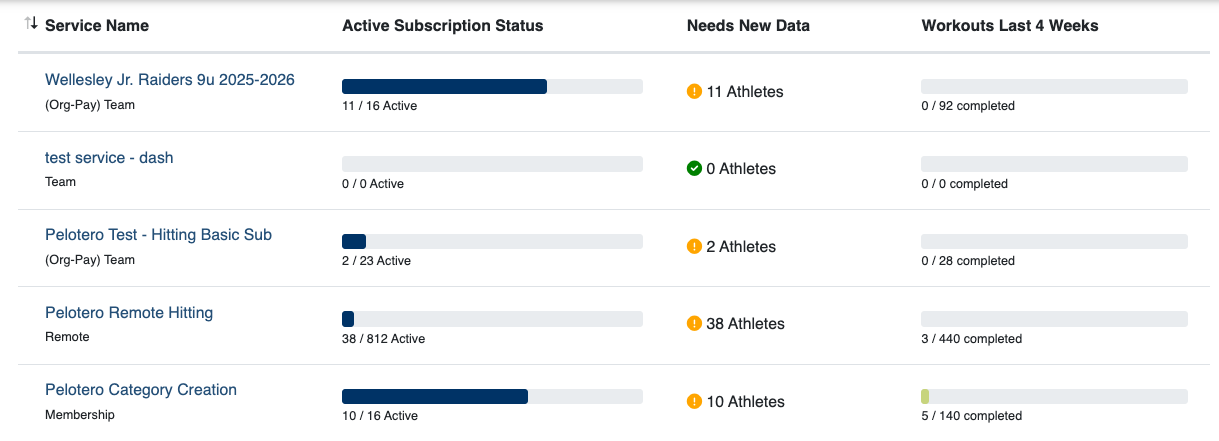
Below is a display of how services will appear within your Dashboard.
How Do I Create a New Service?
In order to add a new service within your Pelotero Portal, you must make a request to the Pelotero Team. You can contact us and submit your request through email at support@pelotero.com.
Services require:
- Service Types
- Org Pay or Athlete Pay Designations
- Start Date
- End Date
- Sport
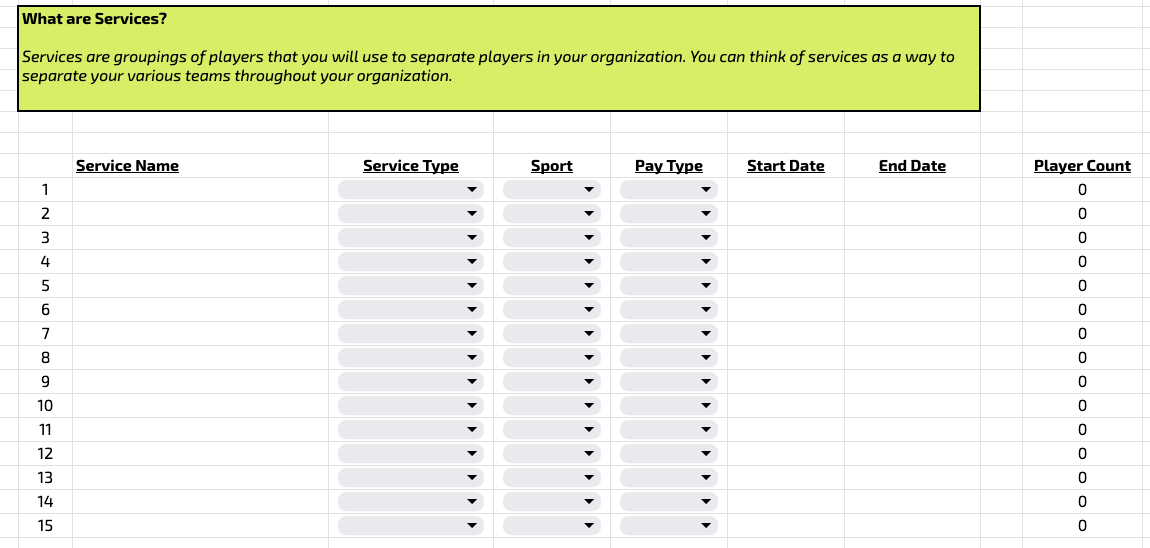
Upon completion of contract and beginning stages of onboarding, each organization will receive a sheet like the one below, to begin populating their services, coaches and players.
Can I Edit an Existing Service?
Yes. Services that have been previously created can be edited. In order to edit a service, an organization must make a request to support@pelotero.com.
Editable parts are:
- Start and End Dates
- Service Types
- Service Names
Why Editing Service Dates Matters
As described in the article about Org Pay or Athlete Pay Designations, players will only have access to their accounts through "Org Pay" services, as long as the services are active.
Once those services end, athletes will be asked to insert their credit cards to pay the monthly subscription fee for Pelotero.
Was this article helpful?
That’s Great!
Thank you for your feedback
Sorry! We couldn't be helpful
Thank you for your feedback
Feedback sent
We appreciate your effort and will try to fix the article