An organization can add limitless coaches to the Pelotero Platform. In order to add a coach, you must have:
- First Name
- Last Name
- Email (Unique Address - Parent coaches CANNOT share an email with a player)
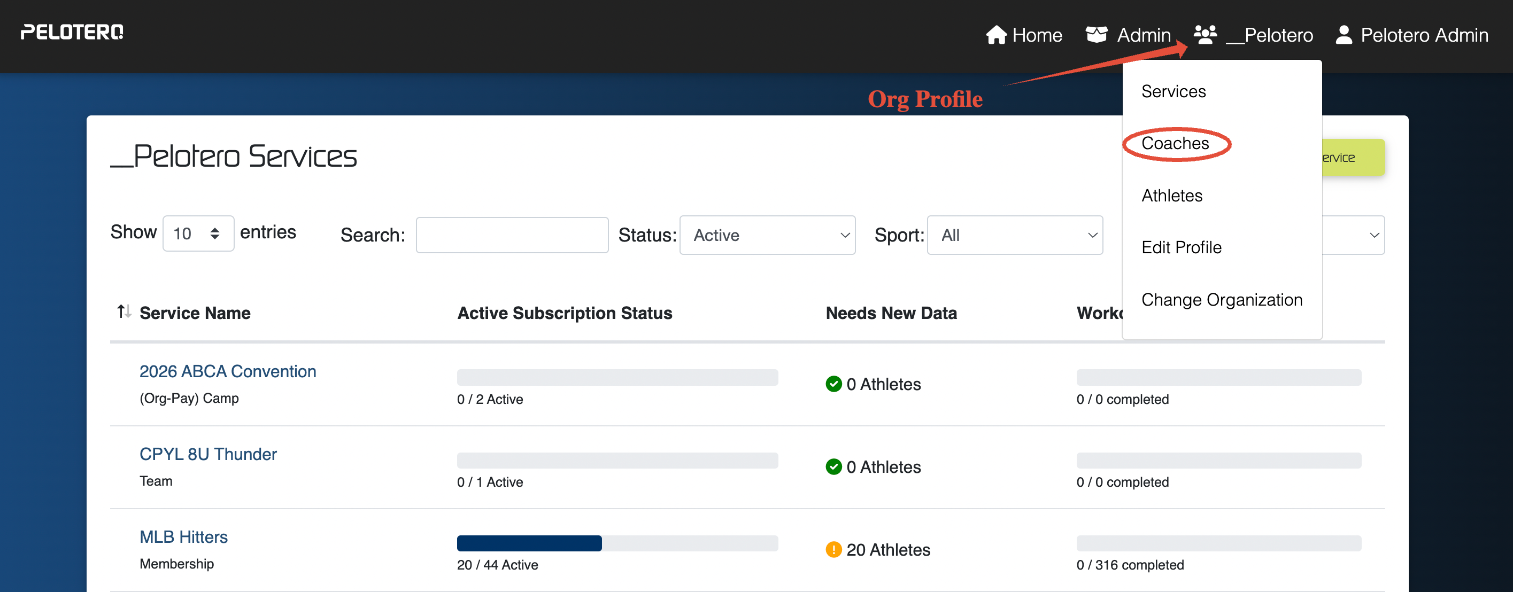
To enter the coaches to your organization, you must enter the 'Organization Profile' located in the top menu.
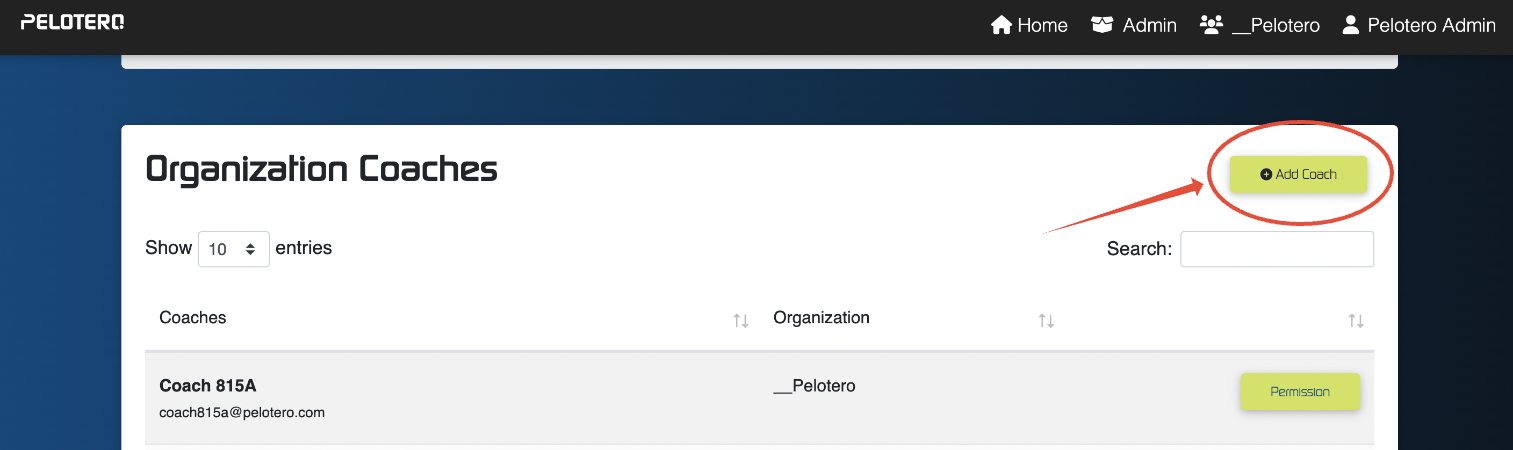
Once you've entered the coaches page you can add as many coaches as you have in your organization at no additional charge.
Coach Permissions
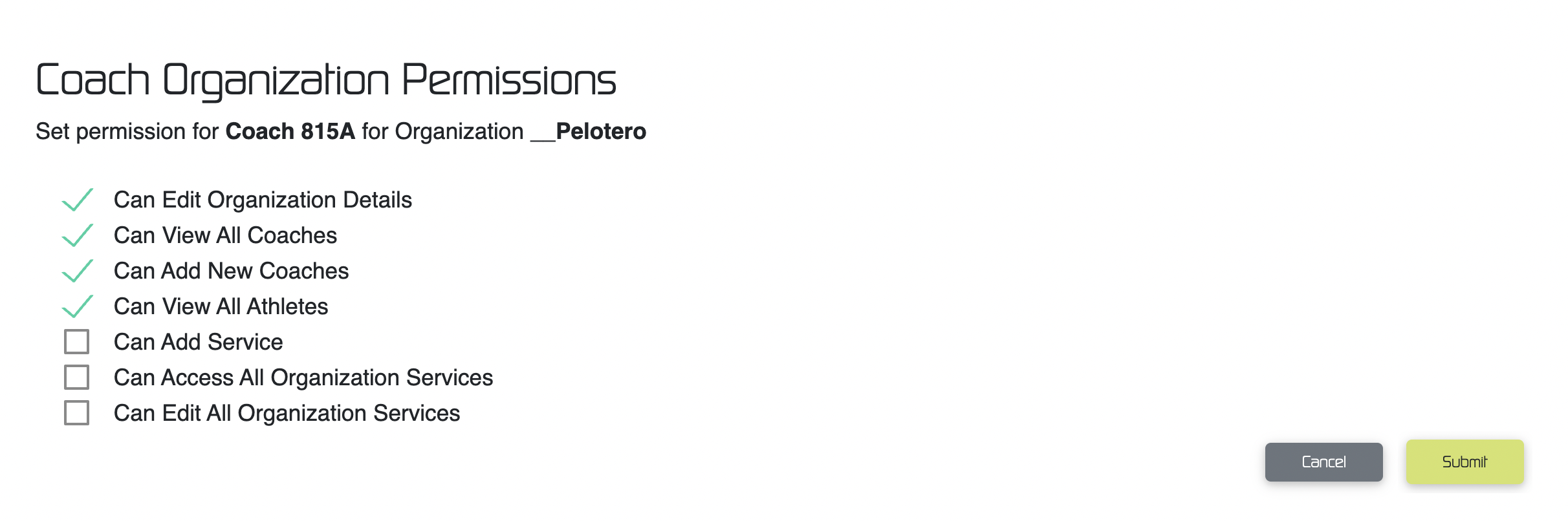
Once a coach has been added to the platform, we can restrict their access to the platform based on what abilities we want them to have.
You can restrict a coach's ability to:
- Edit the Organization Details
- Ability to edit logo, business details, and service types
- View All Coaches
- Ability to view coaches that are part of the organization
- View All Athletes
- Ability to view all athletes that are part of the organization
- Add Services
- Ability to add new services (toggled off for most organizations)
- Access All Services
- Ability to limit which services coaches have access to
- Edit All Services
- Edit dates/coaches/positions within each service
Adding Coaches to Specific Services
If organizations want to limit access for certain coaches to only access specific organizations, they must assign coaches to those specific services, once their access to all services has been removed.
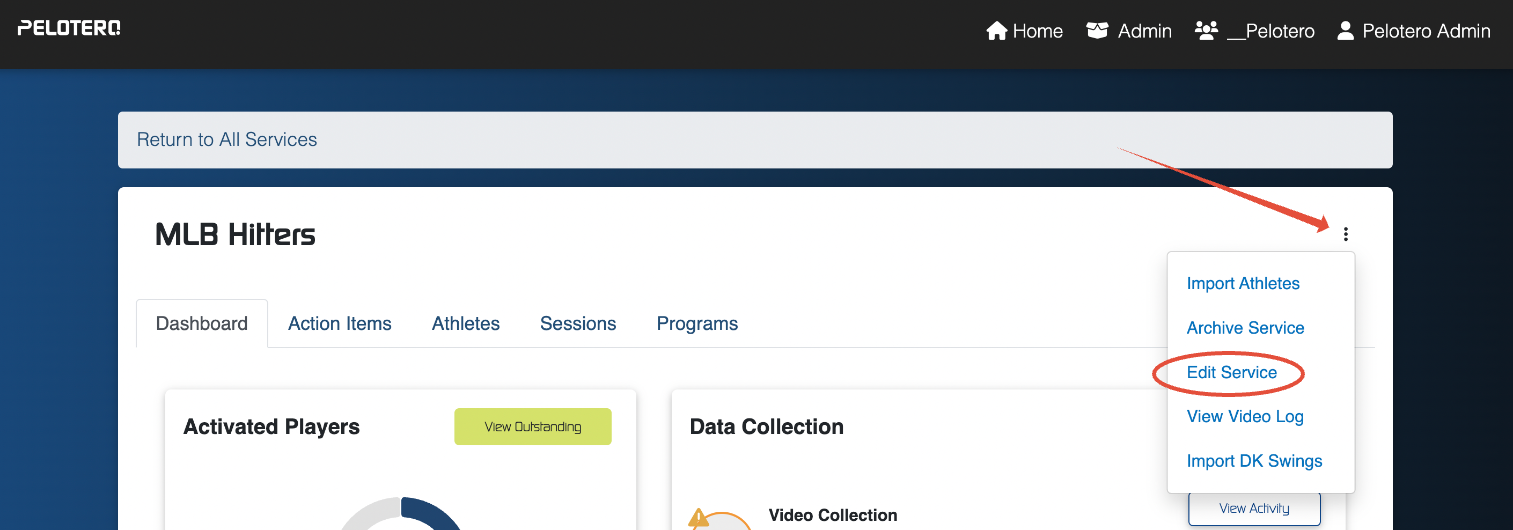
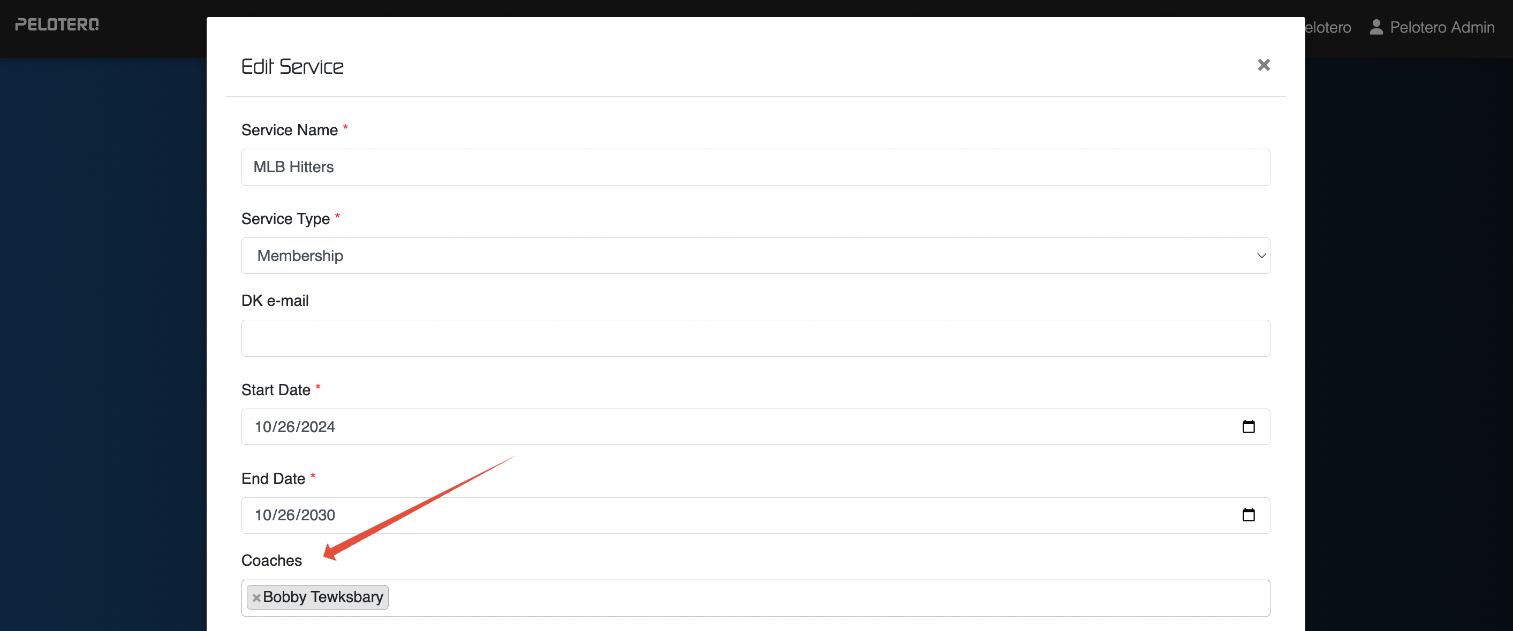
In order to add a coach to a specific service, enter the service and click the three dot menu and choose the 'Edit Service' option.
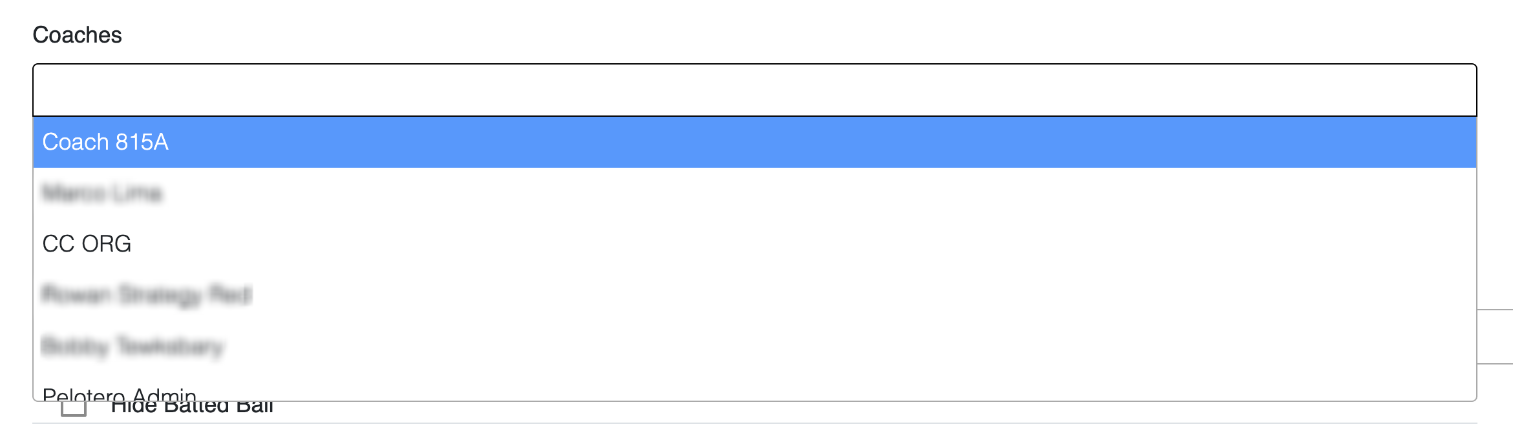
Once you've entered the 'Edit Service' screen, you can add coaches individually, who have already been added to the organization.
Was this article helpful?
That’s Great!
Thank you for your feedback
Sorry! We couldn't be helpful
Thank you for your feedback
Feedback sent
We appreciate your effort and will try to fix the article