Whenever you are adding athletes to the Pelotero Platform, you will have the option of 'Sending Athlete Invitation' upon completion.
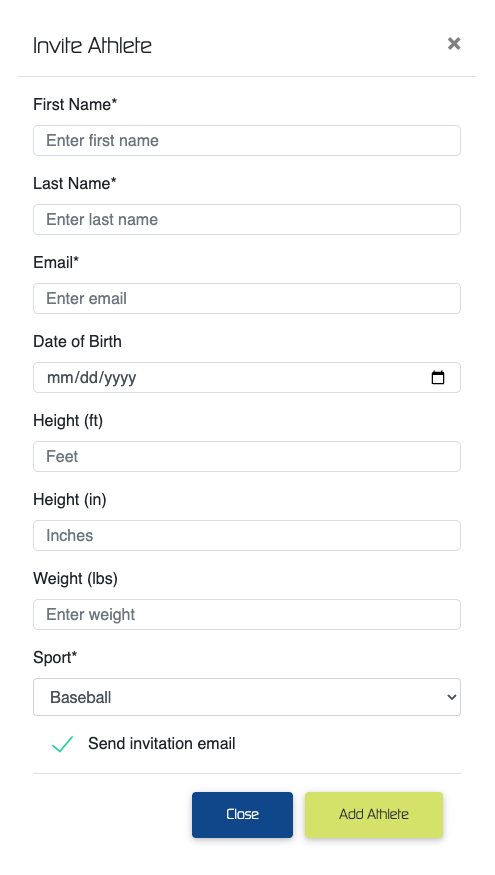
Once an athlete has 'Accepted' their invitation, and agreed to join the service, 'Athletes' will become 'Active' in the platform.
Athletes can also be deemed as 'Active' in the event that an organization has created a 'Service' that is designated as org pay and they have added the additional details above.
Regardless of whether an athlete is deemed as 'Active' or not, an organization may begin the process of data collection for that player. The data that is collected just won't process until the athlete switches their state to 'Active'
If your athletes don't receive an invitation...
Once you've added a player to an existing service and chosen to send an invitation, if an athlete does not receive the initial email, make sure that they have checked their spam and junk folders in order to ensure that they have not received the invite.
Once this is confirmed, contact Pelotero via email at support@pelotero.com for assistance.
If an athlete's invitation link has expired...
Have the athlete go to app.pelotero.com, enter their email address and click the 'Forgot Password' button. This will send a link for athlete's to reset their password, and allow them to login to the platform.
Was this article helpful?
That’s Great!
Thank you for your feedback
Sorry! We couldn't be helpful
Thank you for your feedback
Feedback sent
We appreciate your effort and will try to fix the article