Once a service has been created in your Pelotero portal, you will have the ability to send out athlete invitations. There are two ways players can be added to the platform - individual invitations and bulk imports.
Individual Athletes
When adding a single player to the platform, you must click into a Service, click on the Athletes tab, and find the 'Add Athlete' button located at the top of the screen.

Once you have chosen to add an athlete, a modal will pop onto your screen. The required fields for adding an athlete are:
- First Name
- Last Name
- Email (must be unique for every athlete)
- Sport
The other non-required fields will also appear:
- Date of Birth
- Height
- Weight
****The fields that are not required can be filled out by the athlete, upon receipt of their invitation.
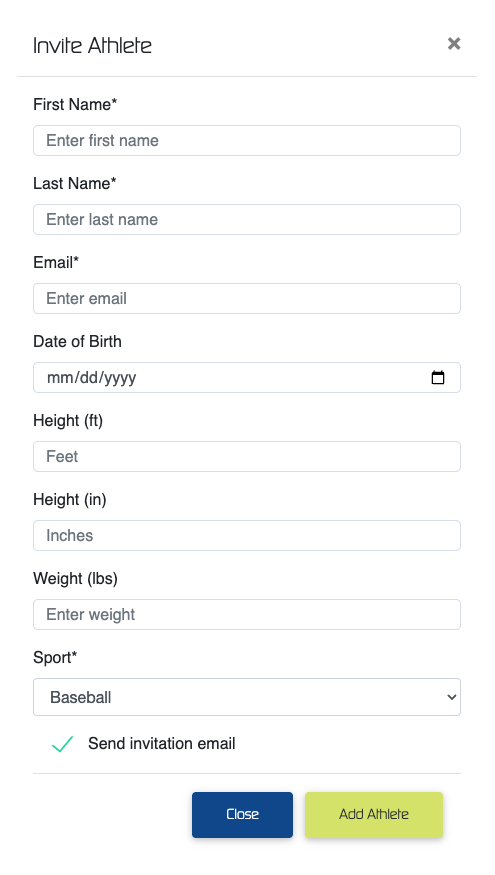
At the bottom of the 'Add Athlete' modal, you will always see the option to 'Send Invitation Email' to the athlete. In certain cases, you may not want to send your invitation. That is further discussed in the Send Invitations section.
Bulk Import
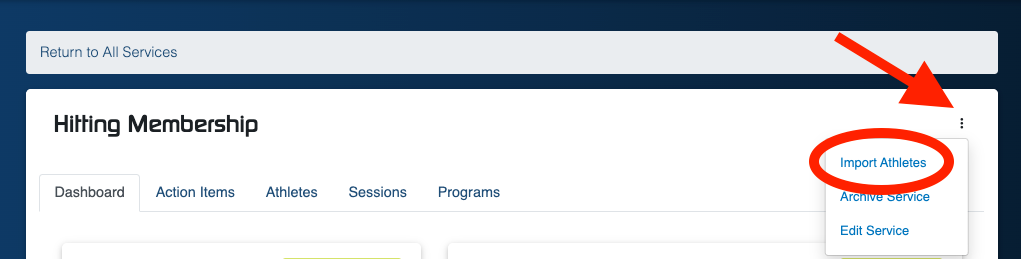
Organizations can always Bulk Import rosters through Pelotero's Import tool, located in the Menu for each individual Service.
In order to perform the import, a .CSV file must be created with the following headers for each column, with sample data below:
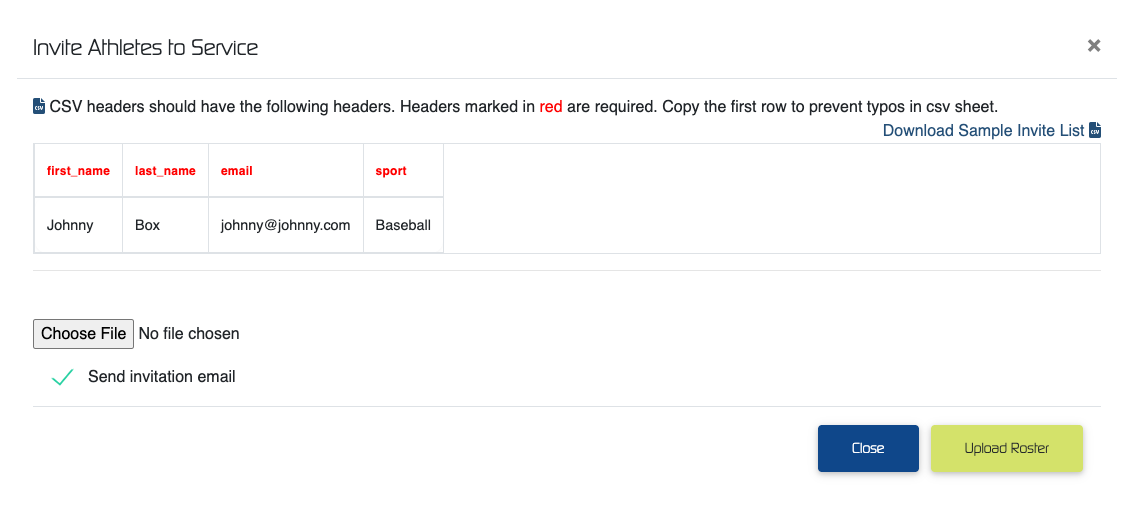
When doing Bulk Imports, you will be asked if you would like to 'Send Invitation emails' out. As mentioned earlier in the Individual Athlete section, the topic of when to Send Invitations is discussed further in this article.
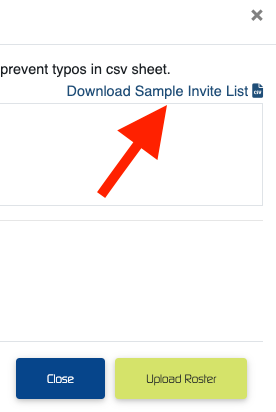
You will also always be able to 'Download Sample Invite List' to work off of. When the services is populated with athletes, this will actually serve as a way for organizations to quickly download their Pelotero rosters in a spreadsheet format.
Was this article helpful?
That’s Great!
Thank you for your feedback
Sorry! We couldn't be helpful
Thank you for your feedback
Feedback sent
We appreciate your effort and will try to fix the article