1. Initiate the Session
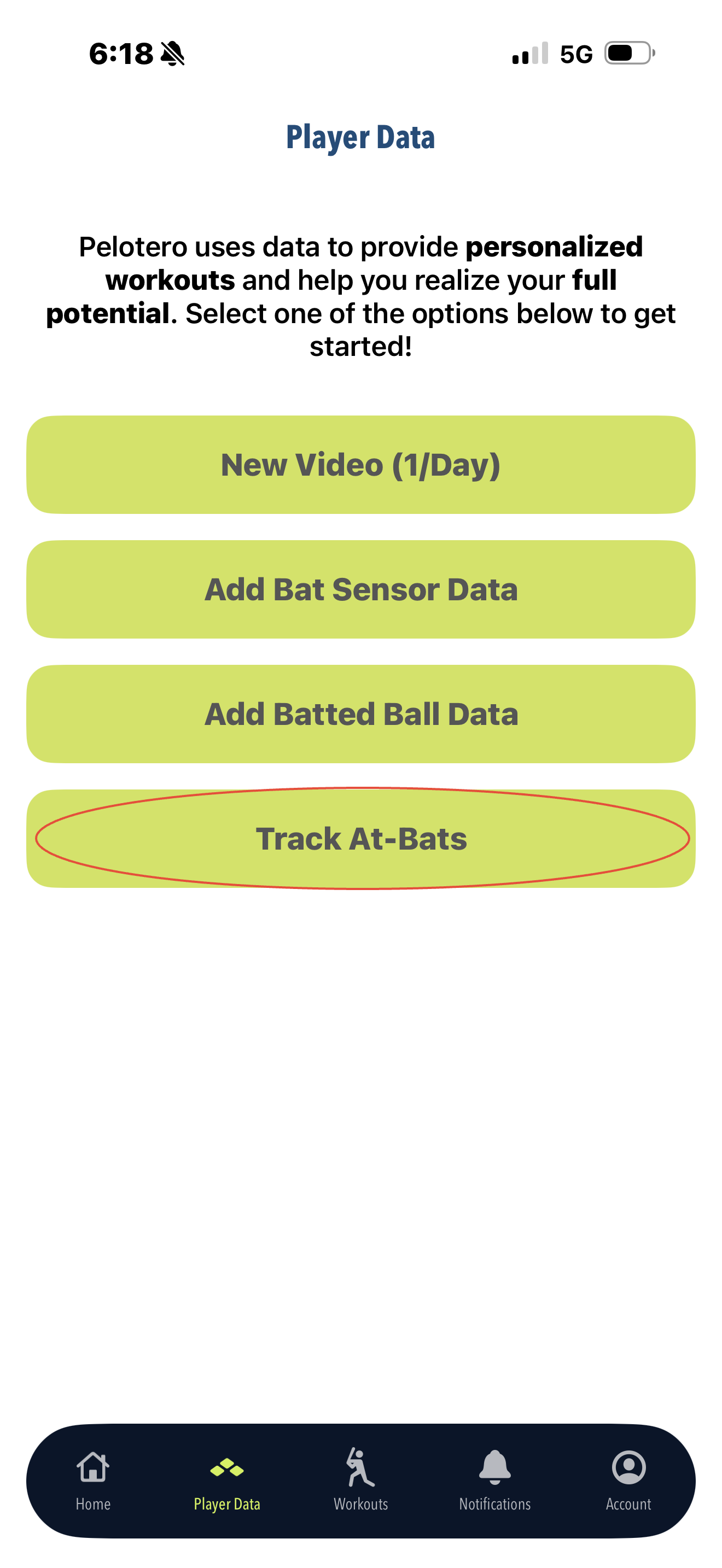
Open the Pelotero app and tap the Track At Bats button on your main dashboard.
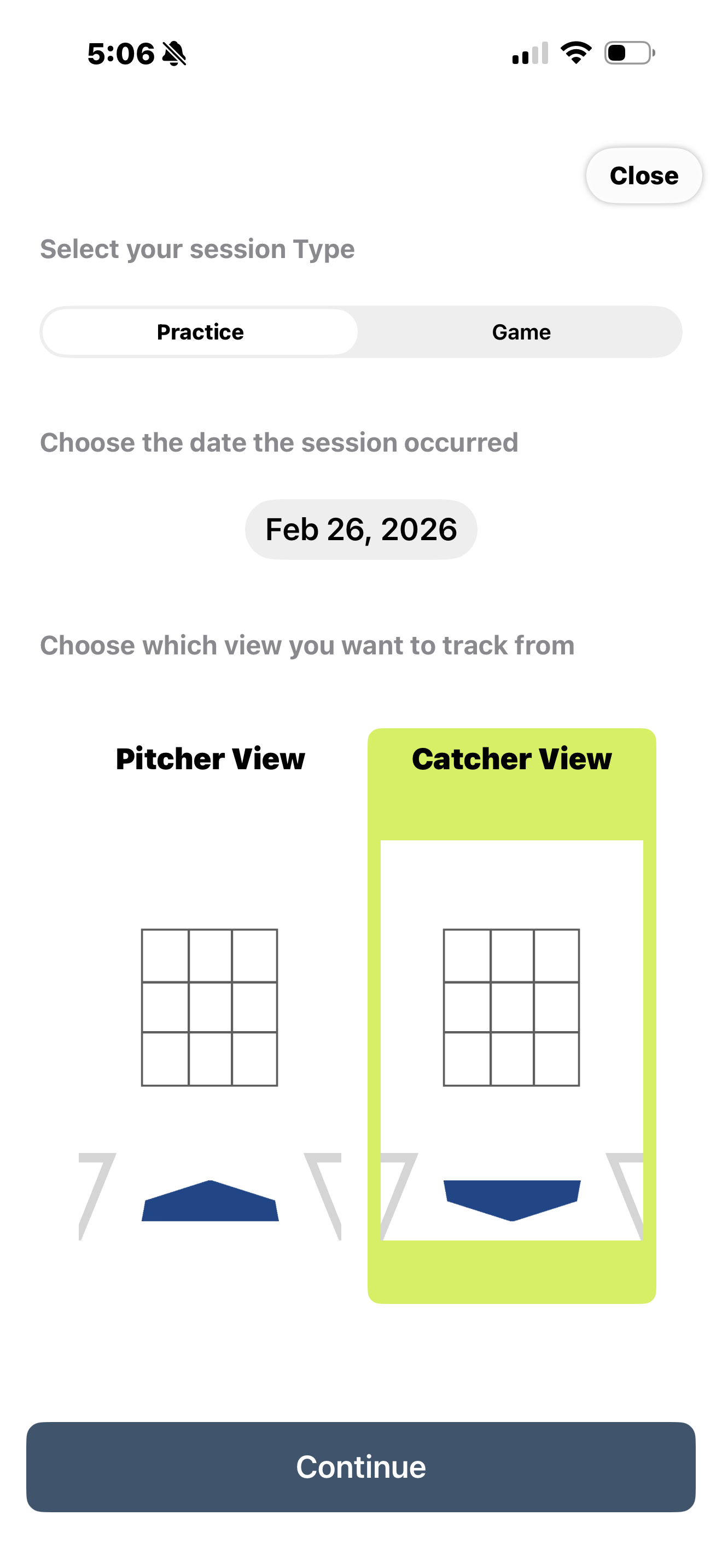
Select the Session Type (Practice or Game).
Enter your Opponent's Name and select your preferred Camera View (Pitcher or Catcher).
2. Set the Game Context
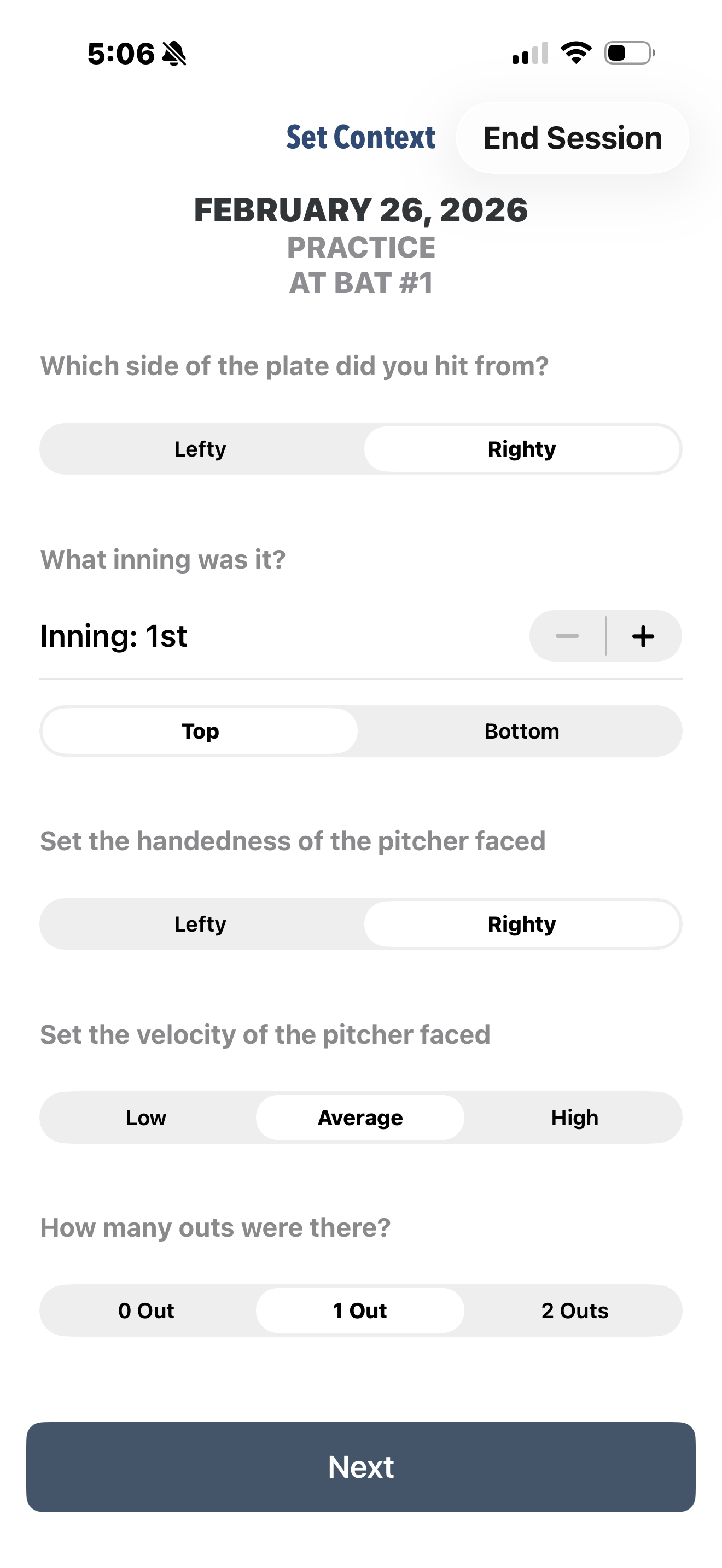
Input the specific details for the current at-bat, including the inning, number of outs, and runners on base.
Specify the pitcher's handedness and estimated velocity (Low, Average, High).
3. Log Each Pitch
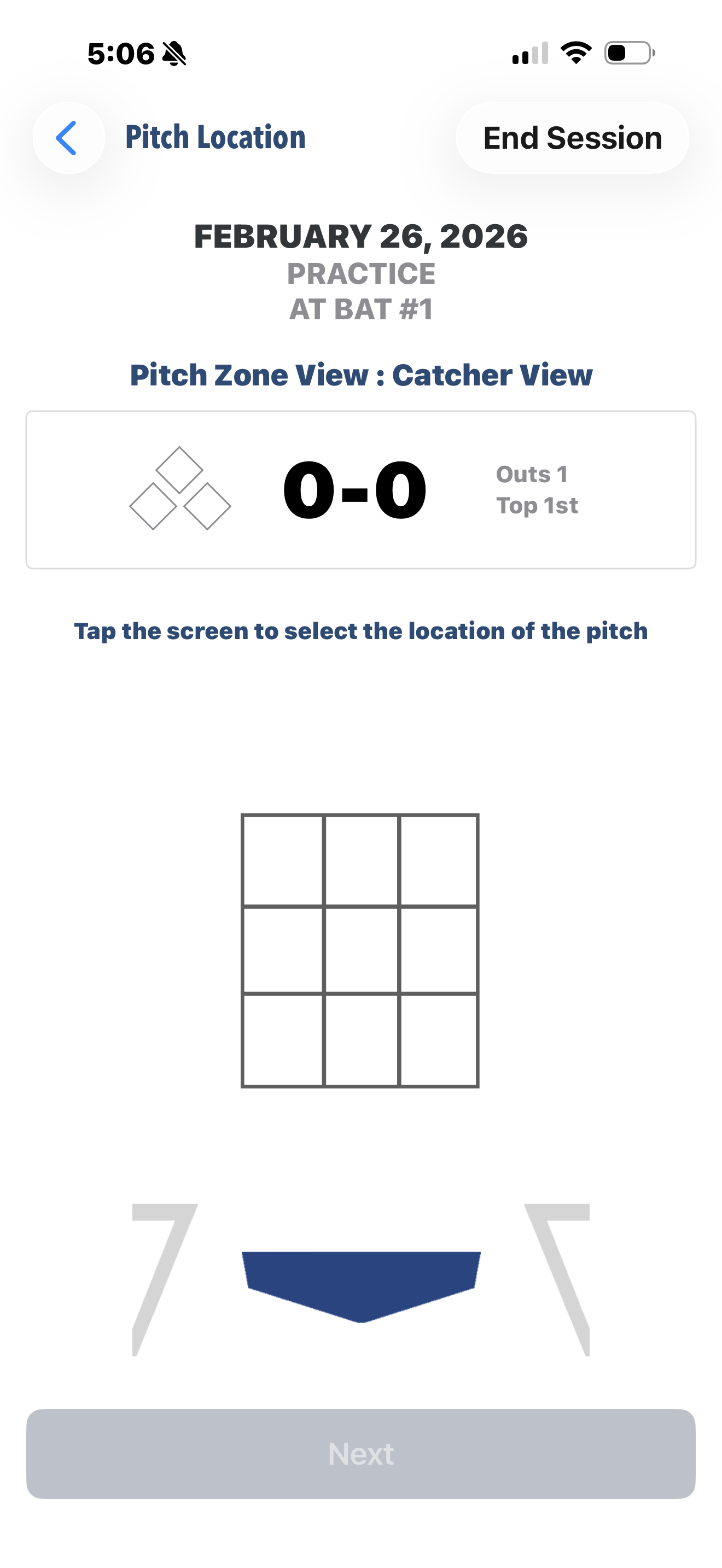
Location: Tap the strike zone grid to mark exactly where the pitch crossed the plate.
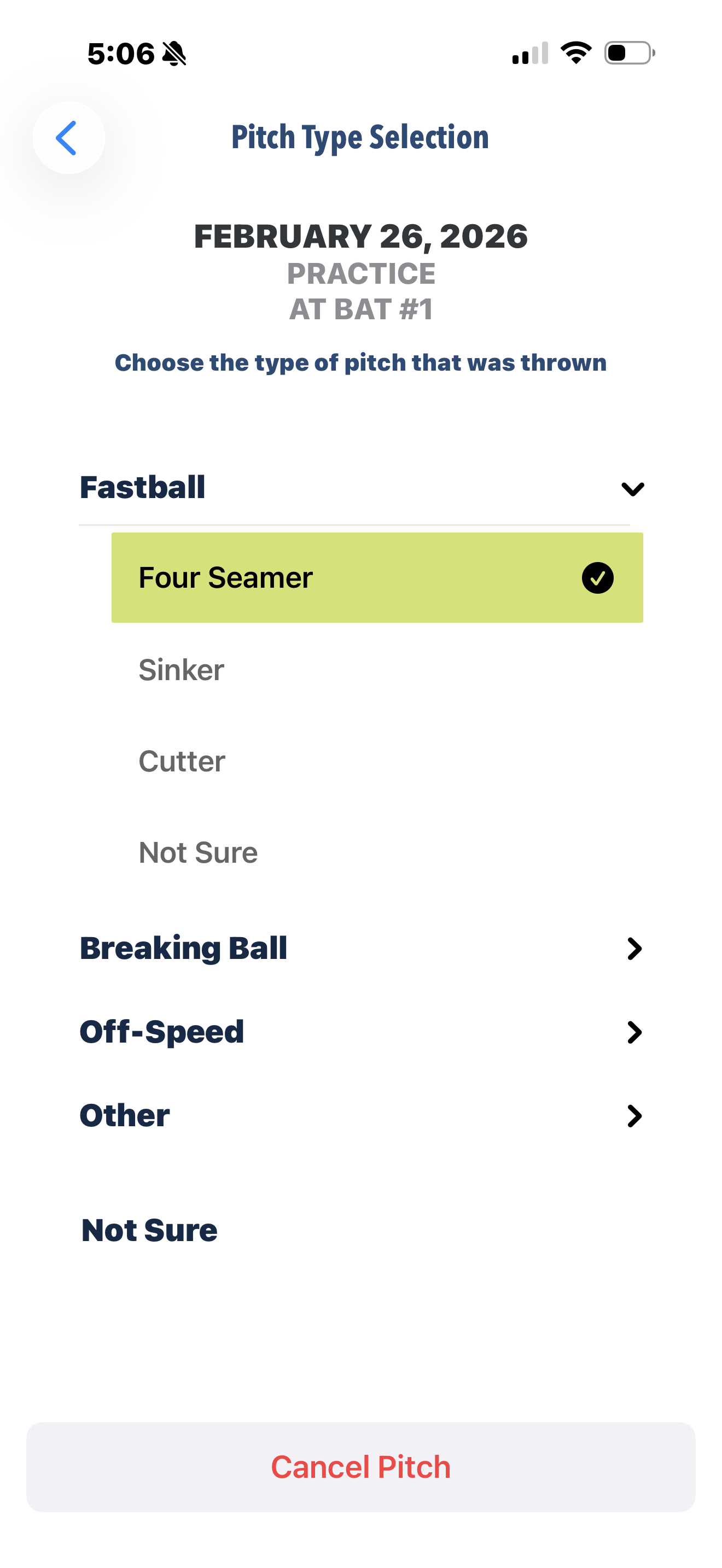
Type: Select the category (Fastball, Breaking Ball, etc.) and specific pitch (e.g., Sinker, Curveball).
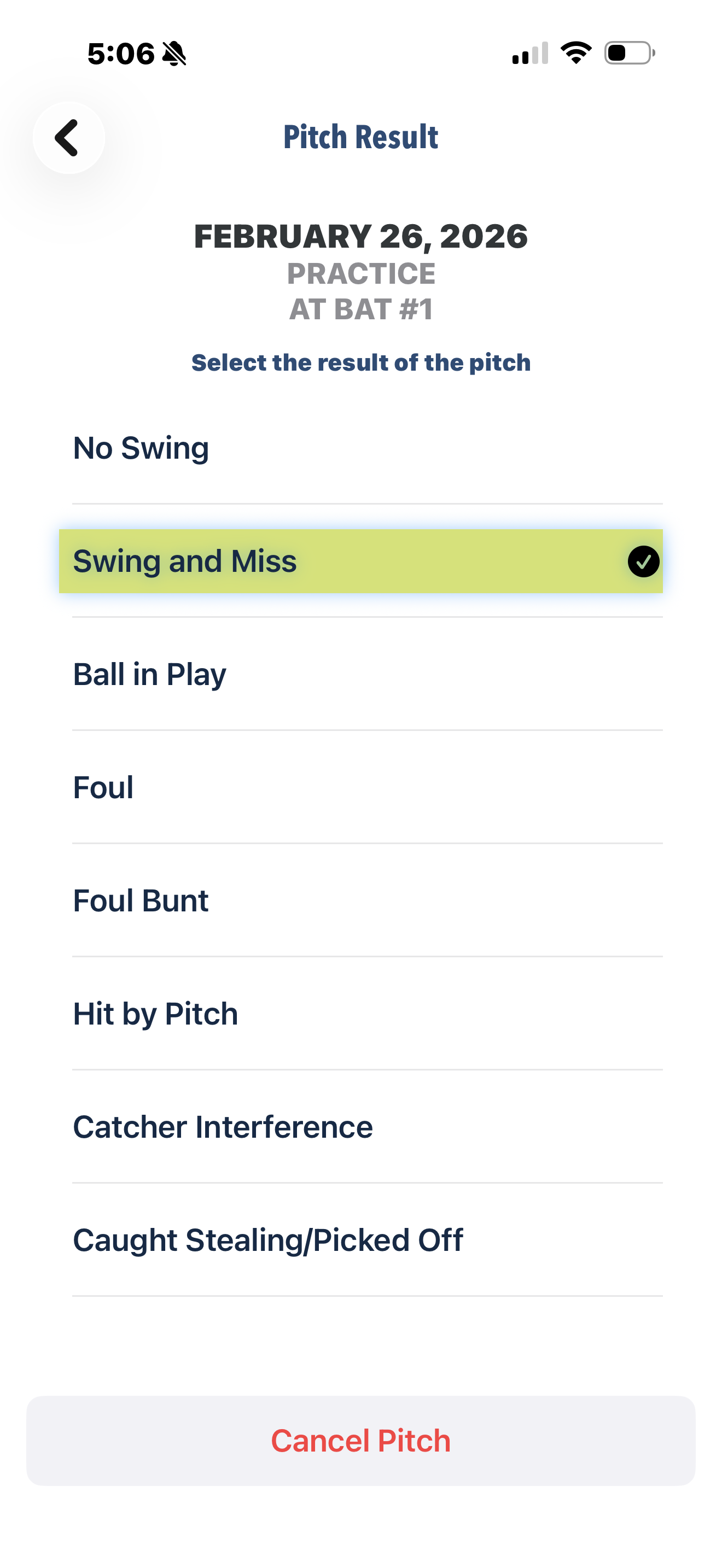
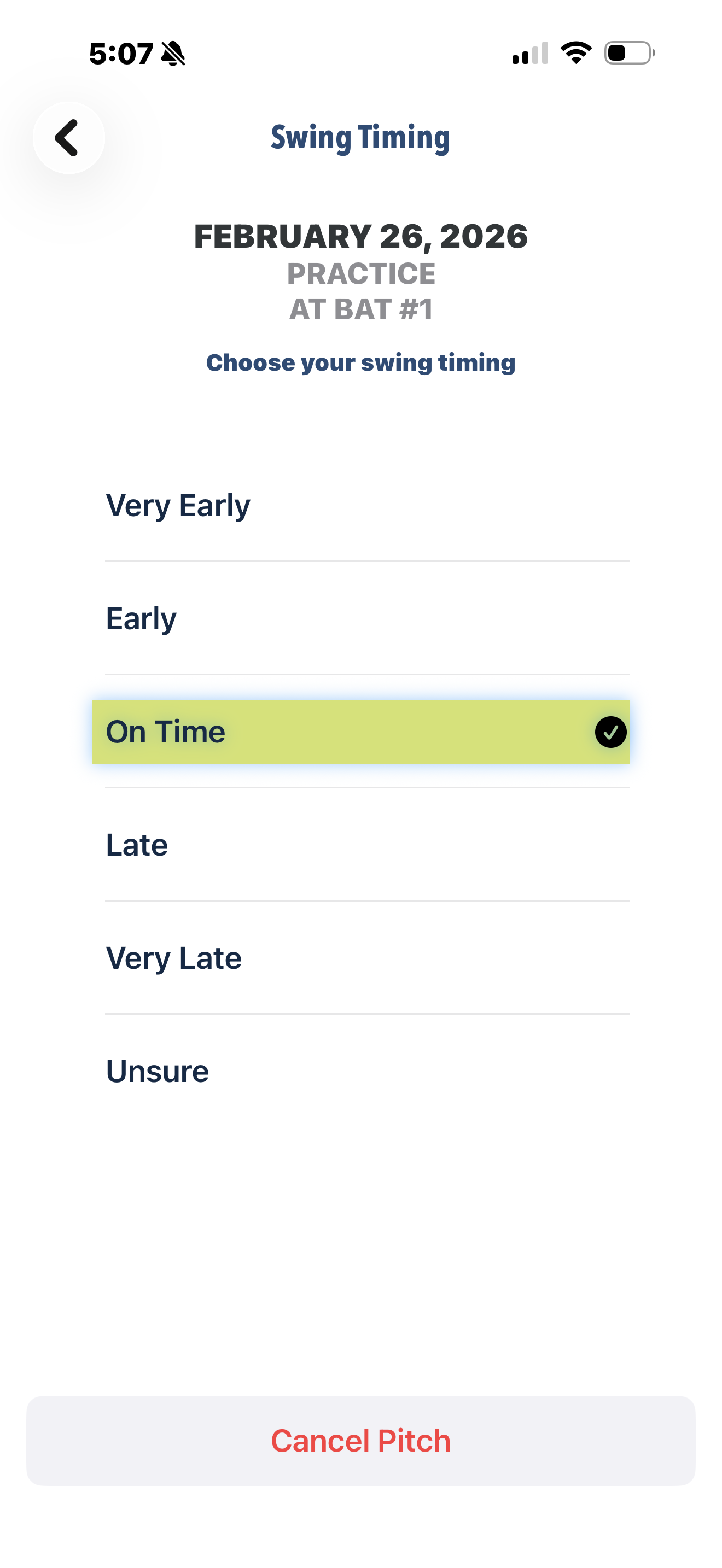
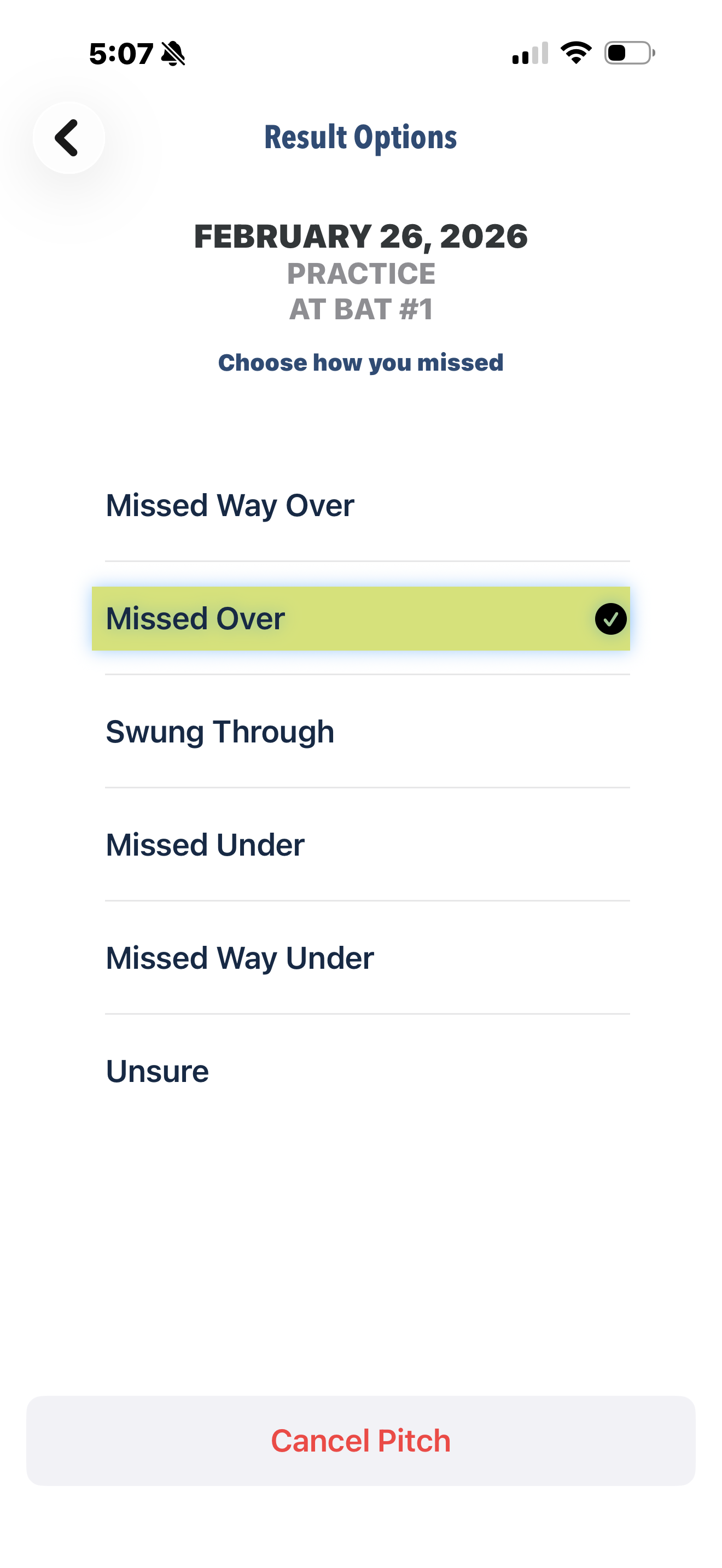
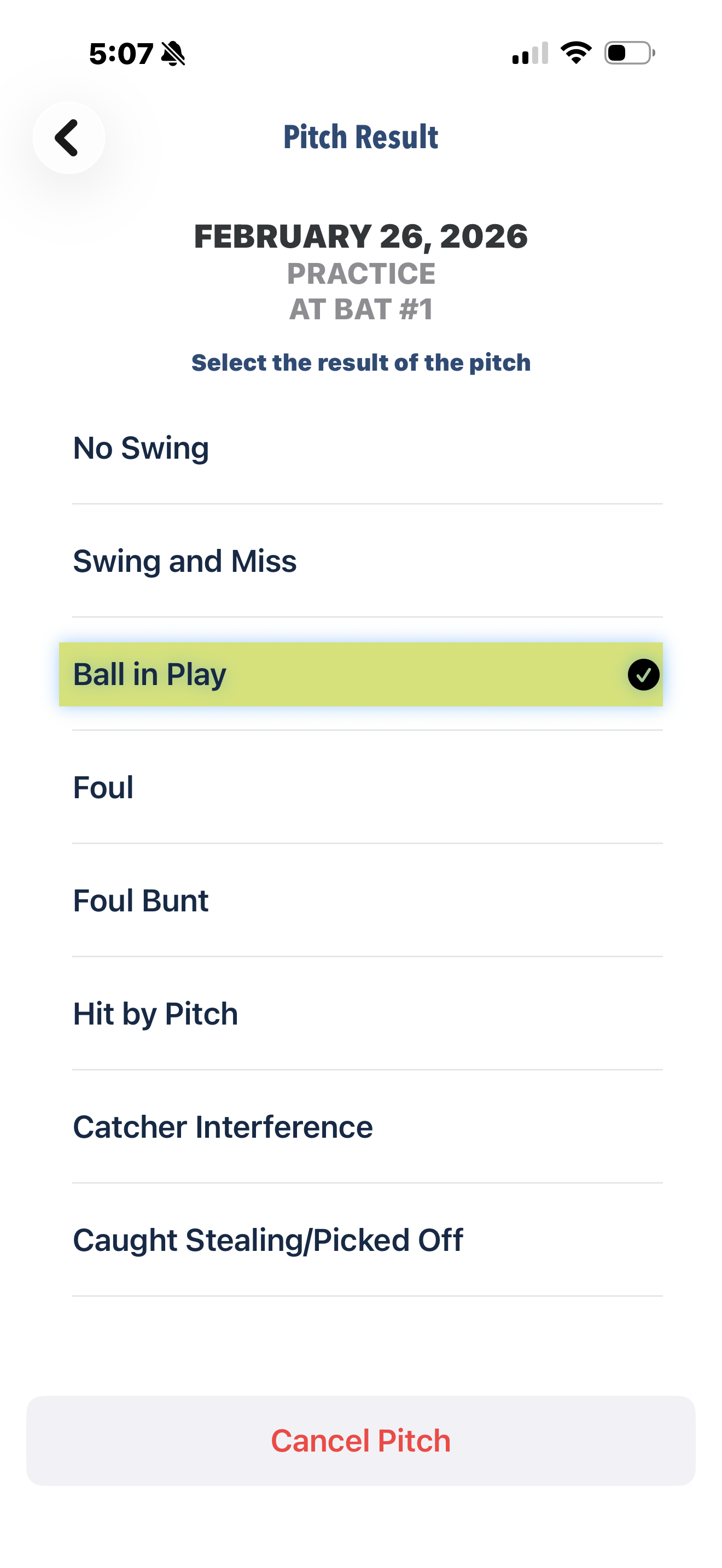
Result: Mark the outcome, such as a "Take," "Foul," or "Swing and Miss." If you missed, specify if you were over, under, or through the ball, and how your timing was on the swing (Late, on time, early, etc.)
4. Record the Play Outcome
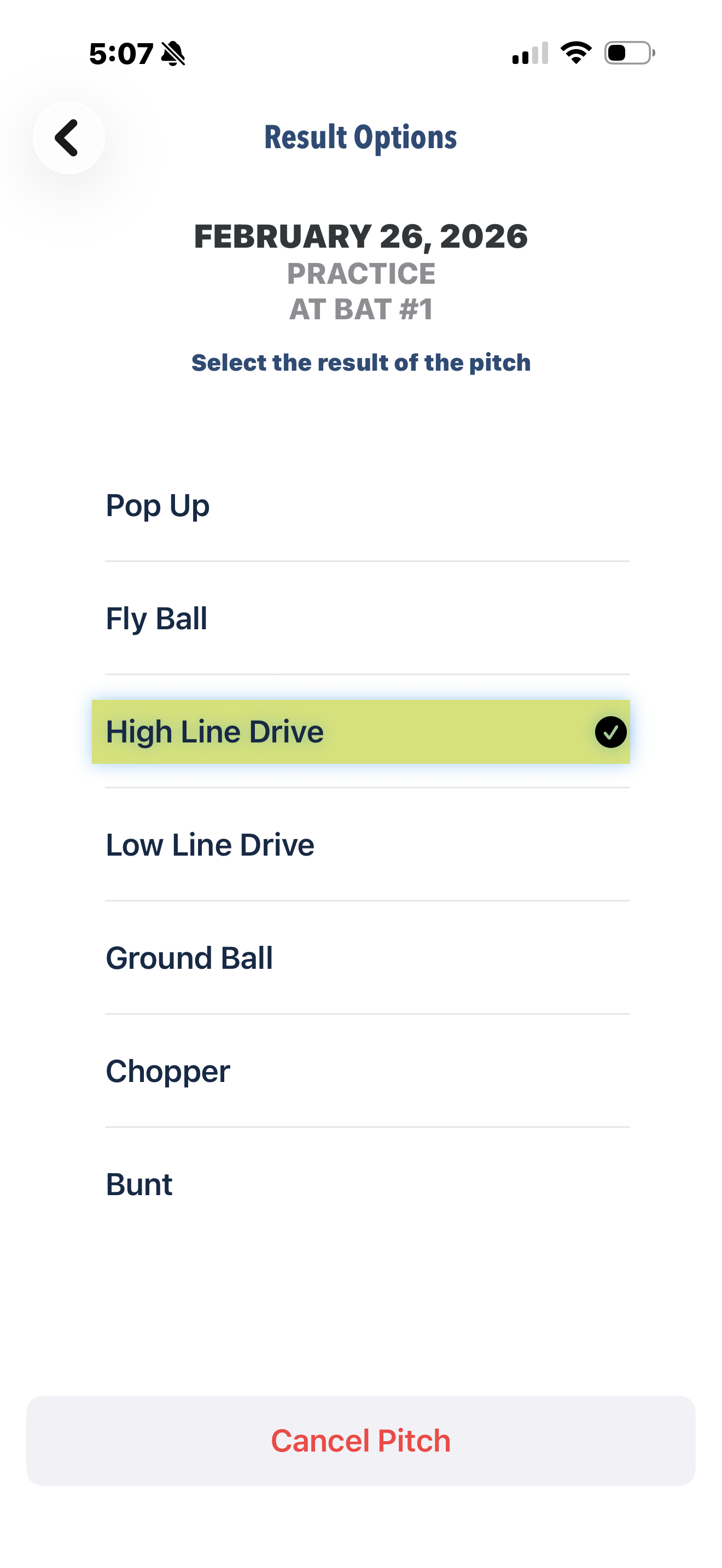
If the ball is put in play, log the Hit Type (e.g., Ground Ball, Line Drive) and your Swing Timing.
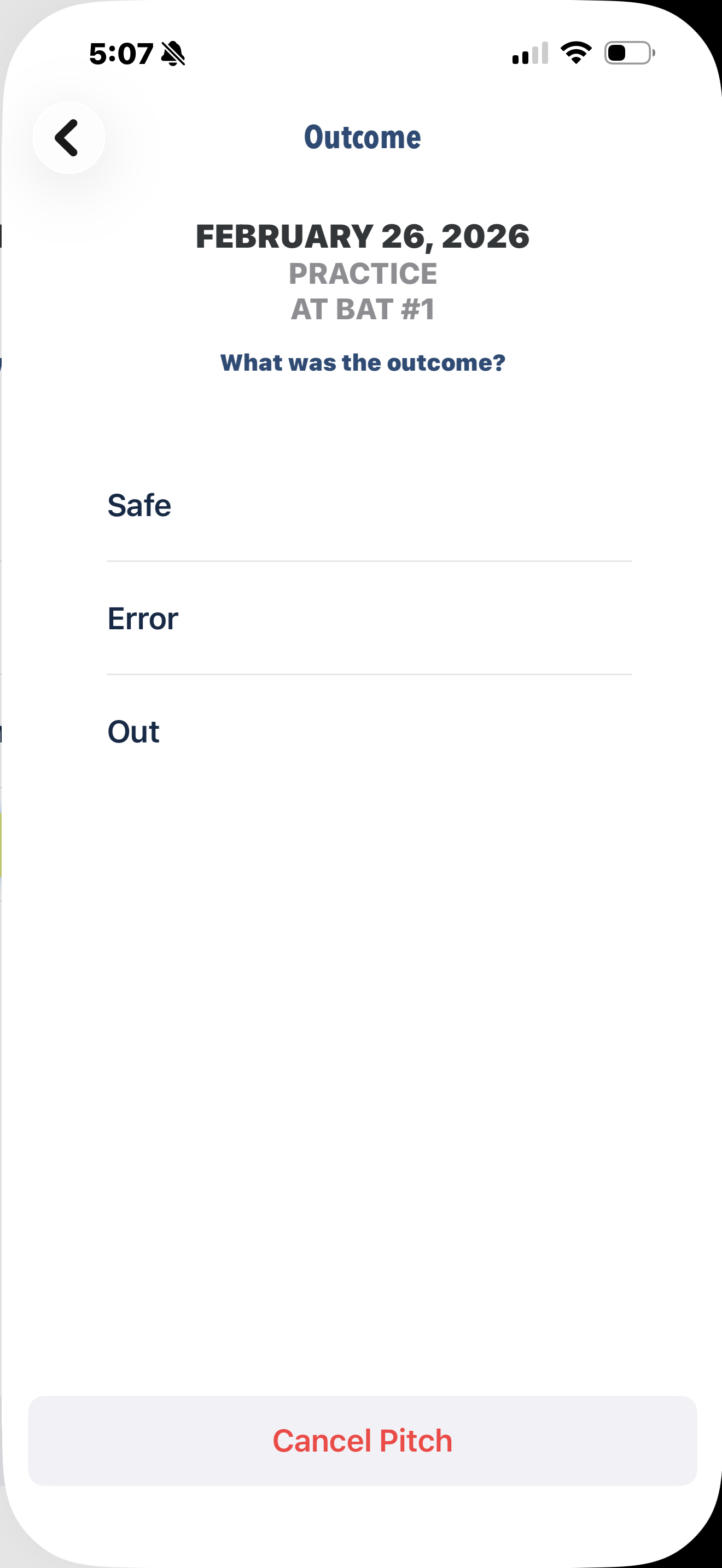
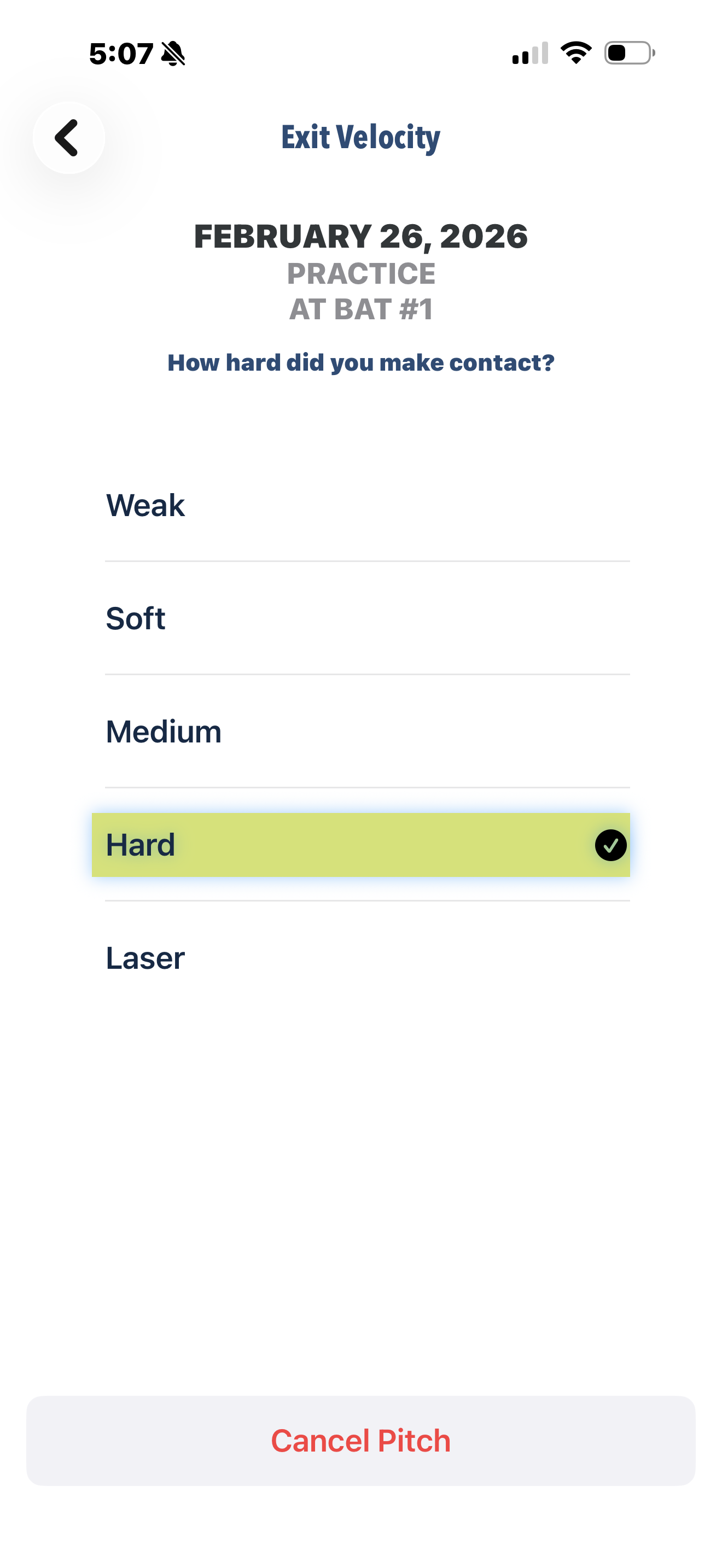
Indicate your Exit Velocity and whether you were Safe or Out.
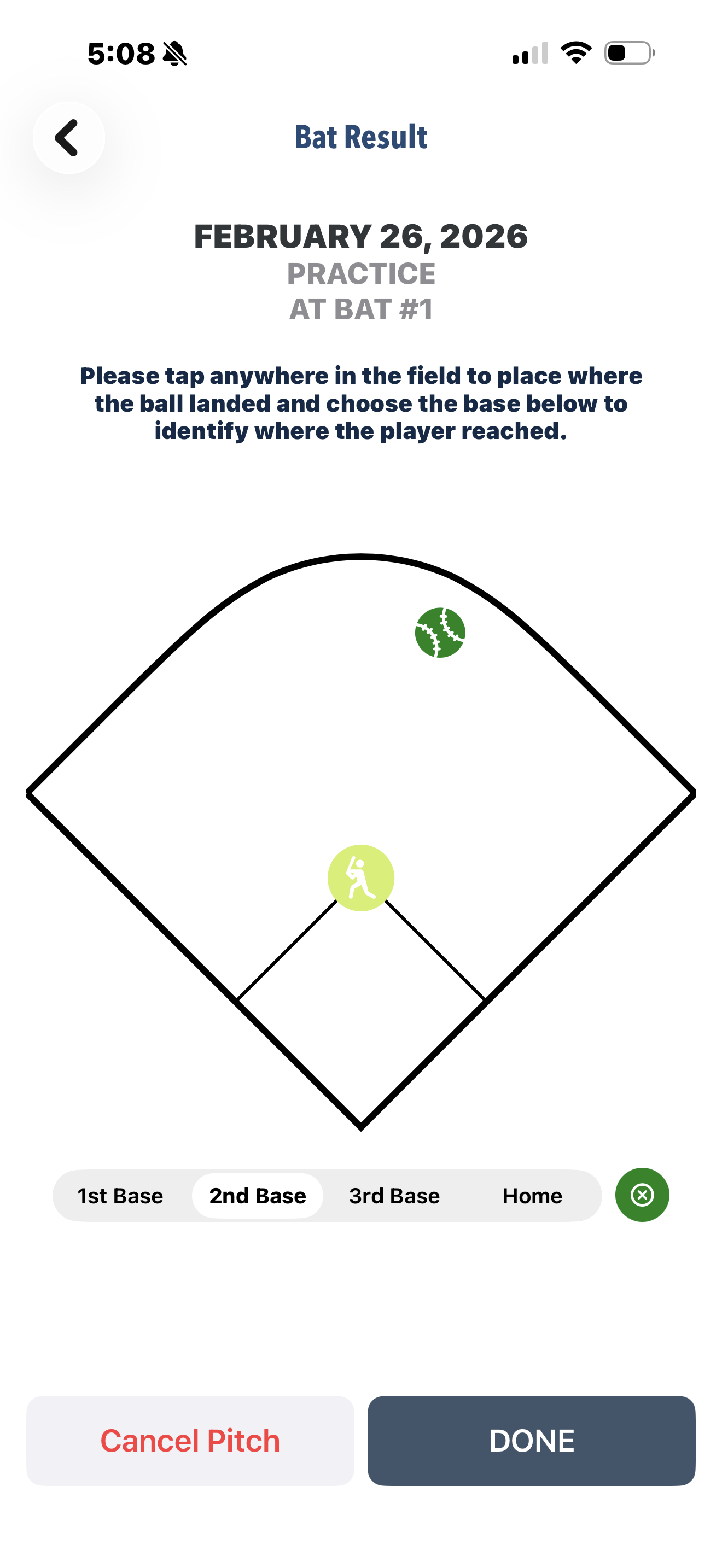
On the final diamond screen, tap where the ball landed and which base you reached.
Select "Done with Session" to finish or "Add Another At Bat" to continue.
Was this article helpful?
That’s Great!
Thank you for your feedback
Sorry! We couldn't be helpful
Thank you for your feedback
Feedback sent
We appreciate your effort and will try to fix the article