Players can access their profiles on any browser at app.pelotero.com
Through the web application they will see six different tabs
- Overview - Athlete Dashboard with scores and workout completion %
- Mechanics - Review their uploaded swings and see their breakdown
- Power - Review bat sensor and batted ball metrics and benchmarks
- Performance - Overall game data review
- At Bats - Ability to view game-by-game results and report cards
- Workouts - Access to individualized training plans
Overview
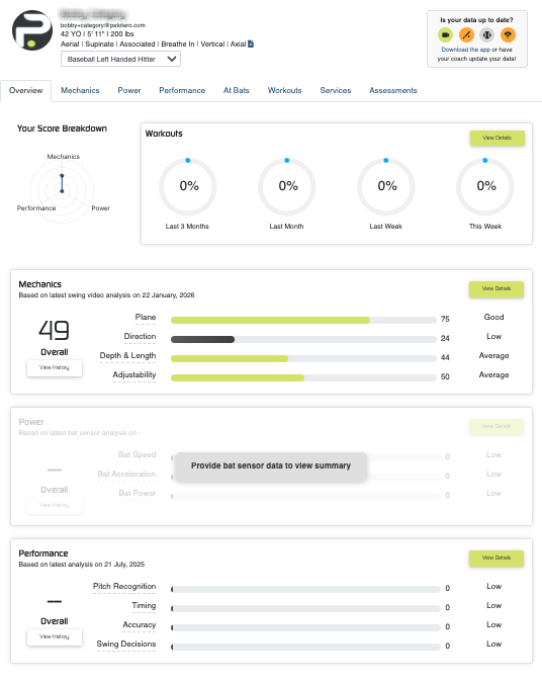
In the top right of the athlete profile, you will see three different colors which represent different states for the data
- Yellow - data is current
- Orange - data is out-of-date
- Grey - data has never been collected
Those states will be represented in the athlete scores on the Overview page. If an athlete has never gotten data, they will be prompted to do so.
Mechanics
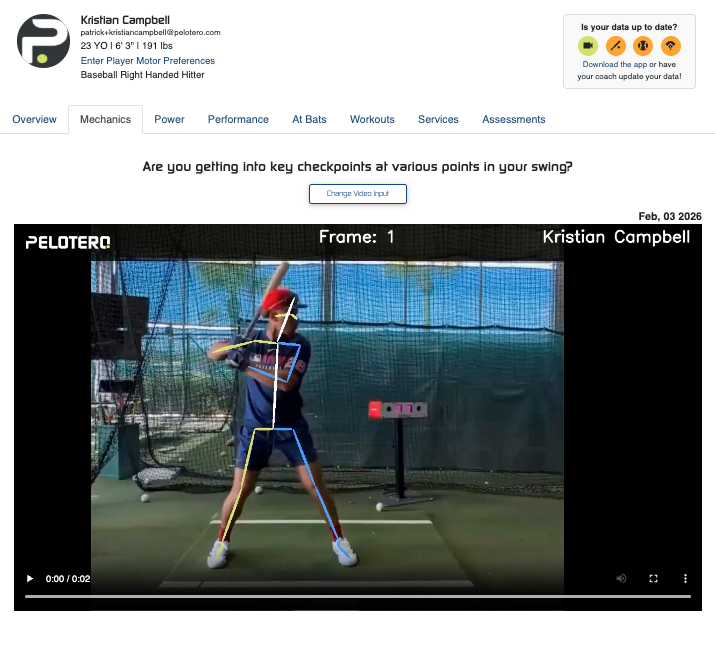
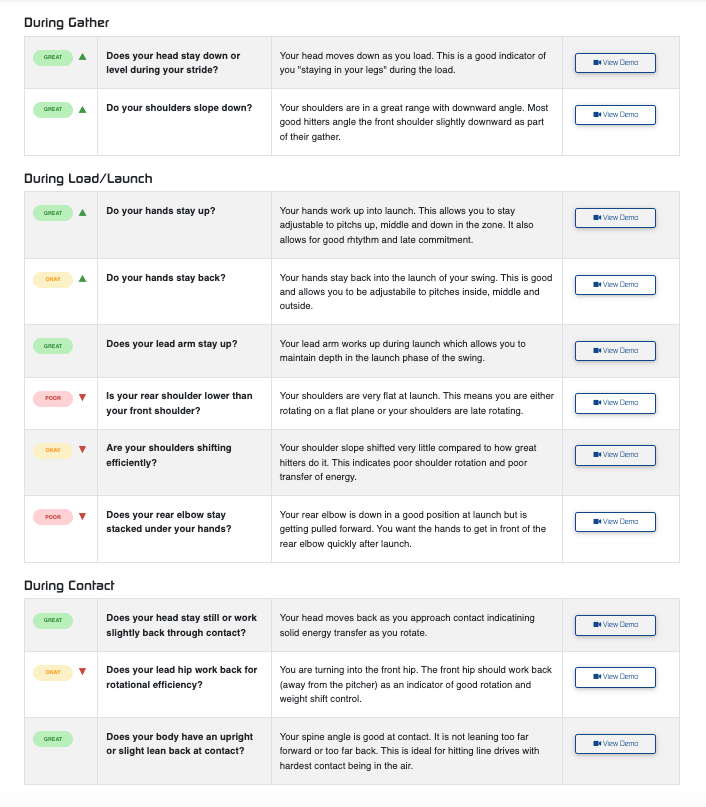
On the Mechanics tab, players will see their most recent video and below that a breakdown of the corresponding swing. The swing is broken down into three phase:
- Gather - Initial movements
- Load/Launch - Transition into the swing
- Contact - When the ball is being met with the bat
Each phase has categories that are evaluated which create the composite Swing Score. The details can be viewed for each category on the page with explanations and images/videos for each.
Power
The power tab is reserved for a player's output data. If bat sensor data has been collected, players will see three main categories where they will be benchmarked against the industry.
- Bat Speed
- Acceleration
- Bat Power
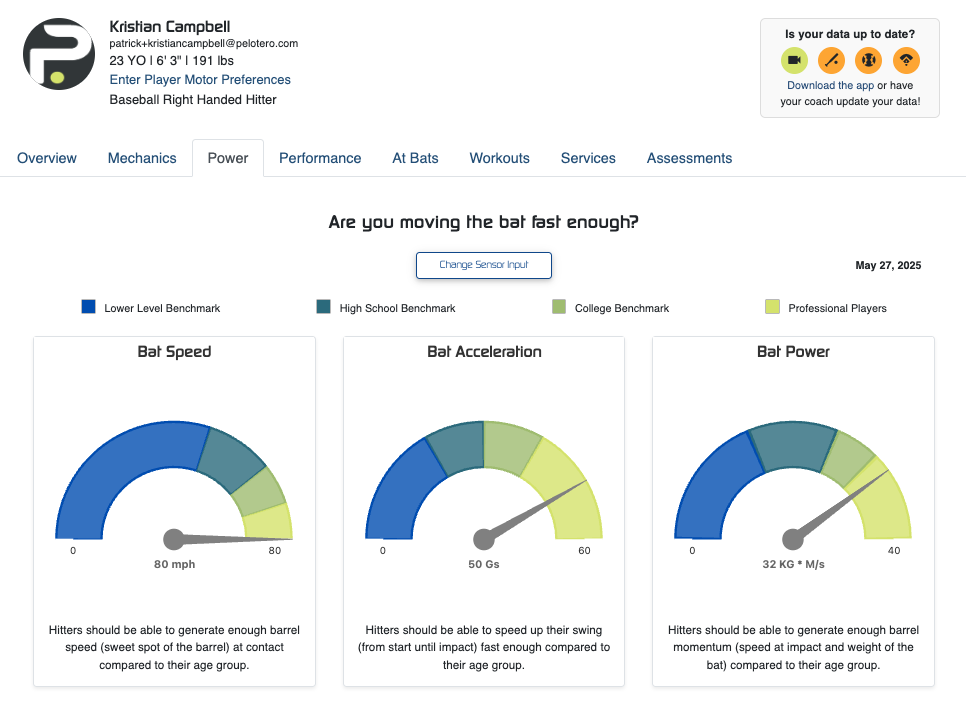
This data will help players understand if speed/strength should be an important focal point in their training. Understanding where you stand is important for players of all ages that care enough to want to play at the next level.
Performance
The Performance tab houses an overview of player's game data that is accumulated over time. Players should lean on this data to help create a better understanding of what things they do well, and what things they don't do well, in game situations.
Players will be able to review very specific - process based data - which they have likely never been exposed to, and will help them improve as hitters in ways they likely never have before.
The data that exists in this tab is all created by the players themselves through the at bat tracking tool, which is found in their app. For a tutorial on how to log games, click here.
At Bats
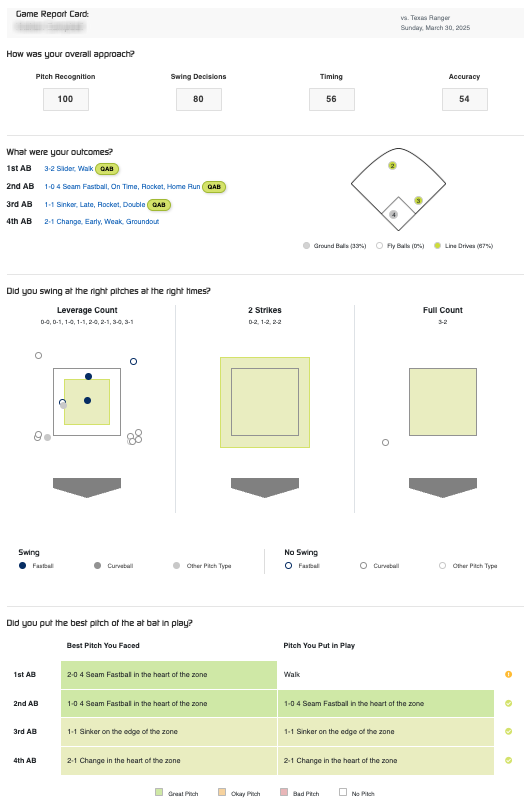
The At Bats tab is where players can go to review individual games which they have logged. Each game will have a score for the various game categories. Players will be able to have a great understanding of how they performed in any given game, regardless of the outcomes of their at bats.
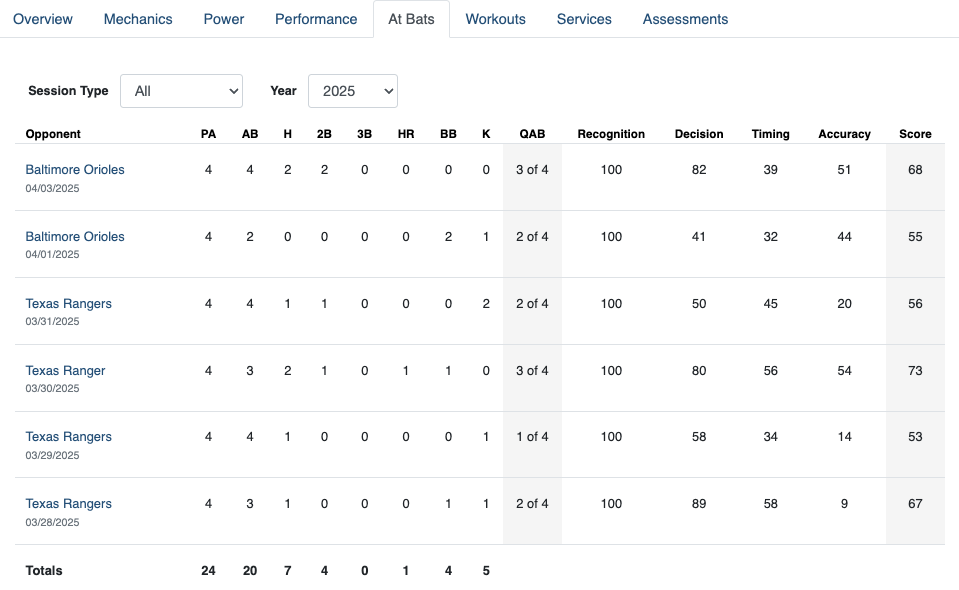
Our process based stats like Pitch Recognition, Timing, Accuracy and Swing Decisions will be scored independently, and we will also grade the game based on a player's run expectancy for each at bat. Those report cards will be shared instantly with players and coaches.
Workouts
Lastly, players will see their Workouts tab on their profiles. Much like the iOS app, players will see their workouts for any given week listed on the page.
If a coach has yet to add a workout for a player, they will see a recommended number of sessions to hit on their own.
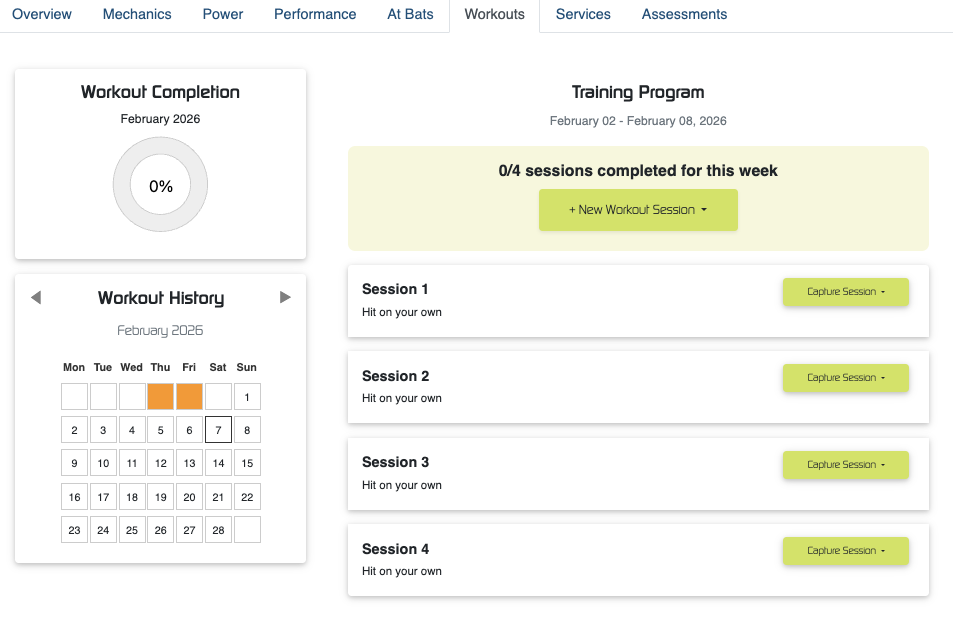
For each of those session, a player will have the ability to choose to 'Log a Completed Workout,' or 'Generate a One-Time Workout.' For more on the available options here, you can see the article on the Player App which describes the choices an athlete can make.
Was this article helpful?
That’s Great!
Thank you for your feedback
Sorry! We couldn't be helpful
Thank you for your feedback
Feedback sent
We appreciate your effort and will try to fix the article