Once a player has downloaded the Pelotero app, and reset their password after receiving an invitation, this is what the player will see.
A home screen with:
- Mechanics Score - Swing breakdown score
- Power Score - Based off bat and batted ball outputs
- Performance Score - Based on game data
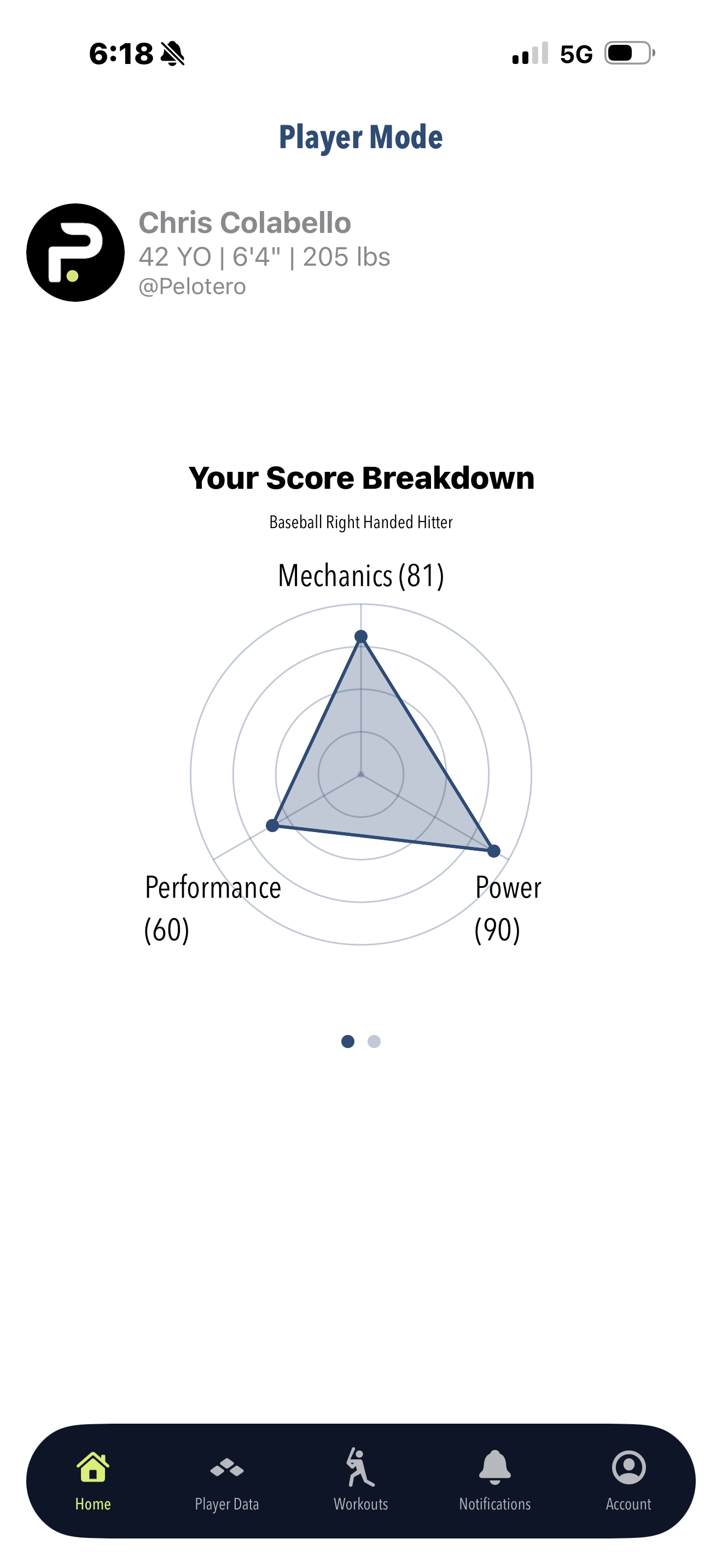
****Switch hitter, would have two separate profiles scroll left and right.
Adding Your Own Data
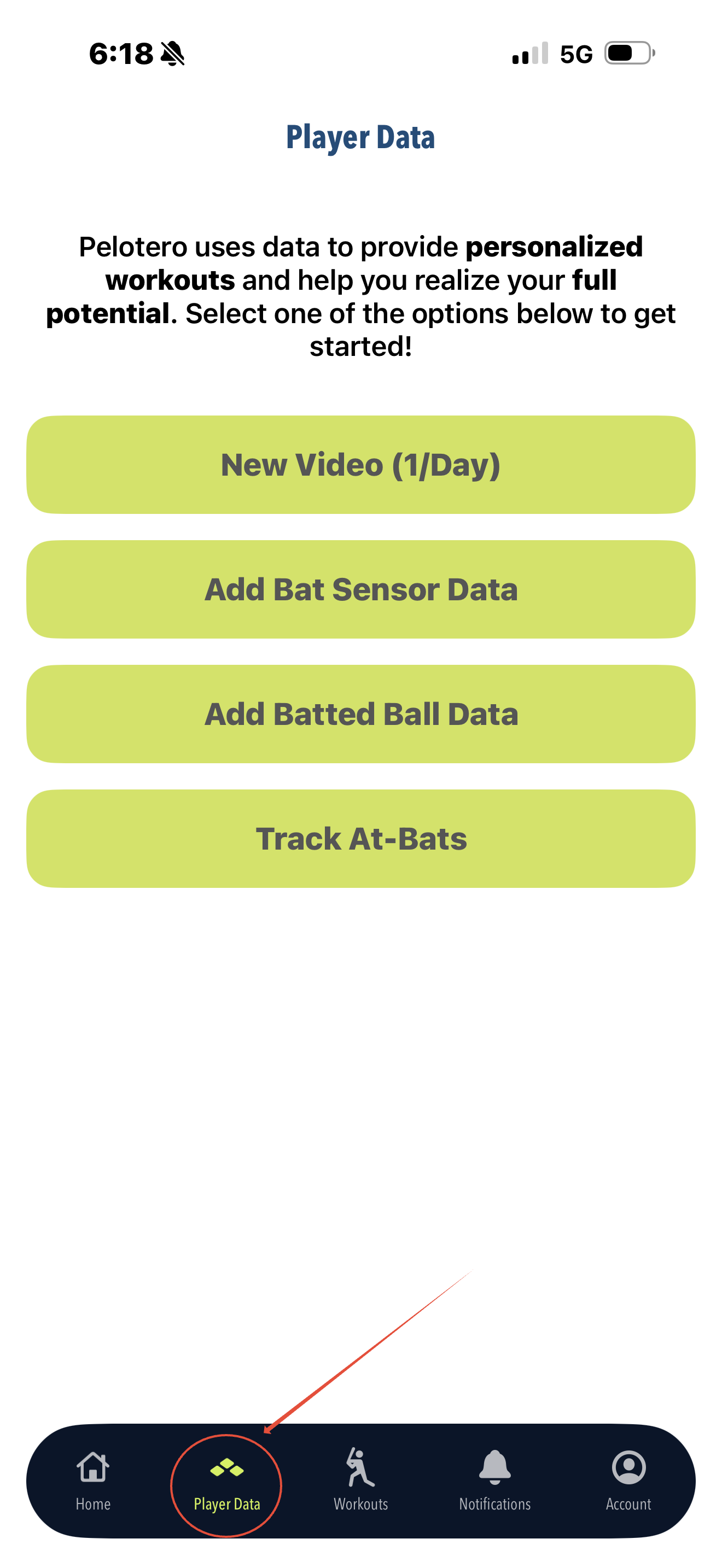
Players will always have the ability to add their own data. By clicking on the menu item, players can:
- Upload Swing Video - Up to 1 per day
- Add Bat Sensor Data - from a DK or Blast Sensor
- Add Batted Ball Data - from any ball tracking device
- Log Game at Bats - Follow the "How to Log at Bats" Tutorial
Accessing Workouts
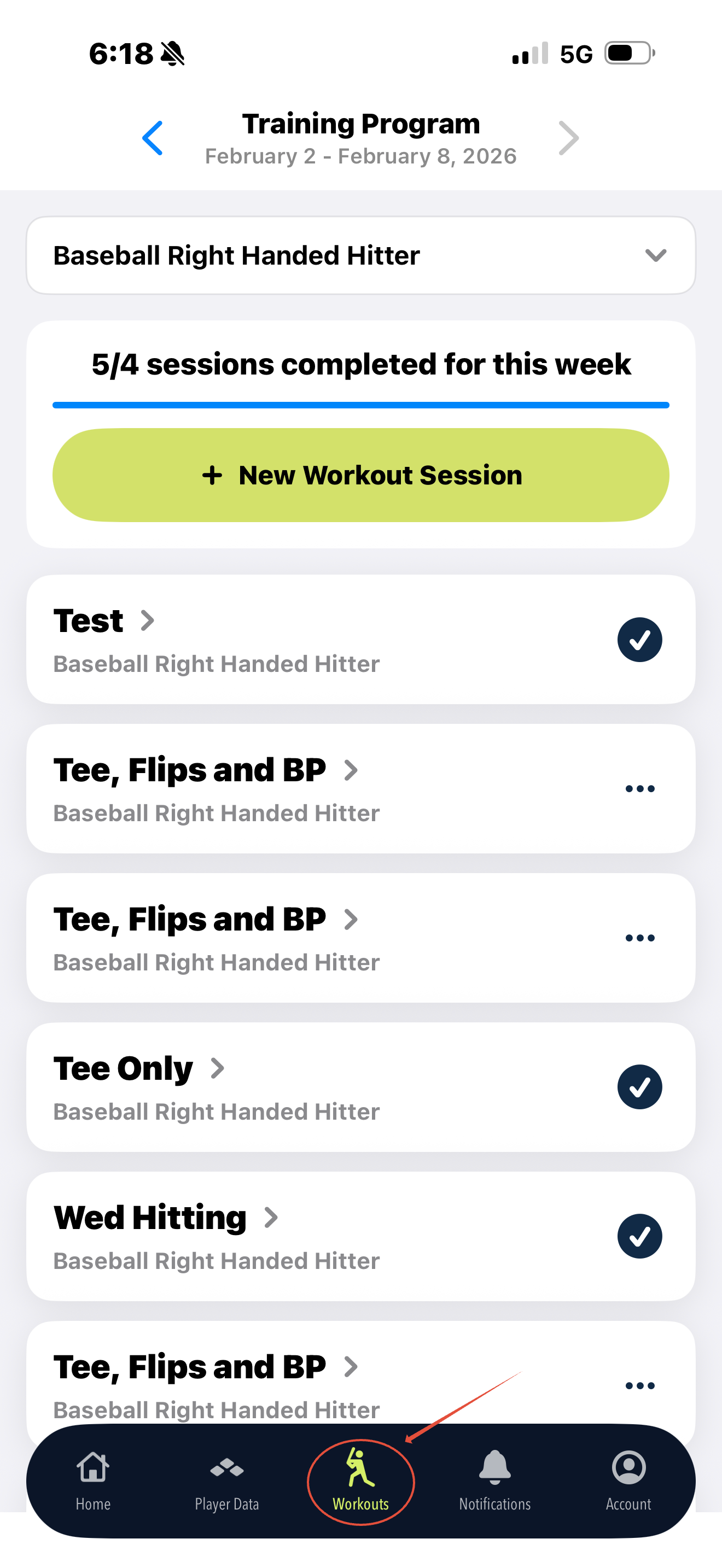
The third menu item gives players access to the workouts tab. This is where every player can access their personalized workouts at any given time. Workouts built previously will be stored there and brand new workouts that players may want to build at any time can be accessed here.
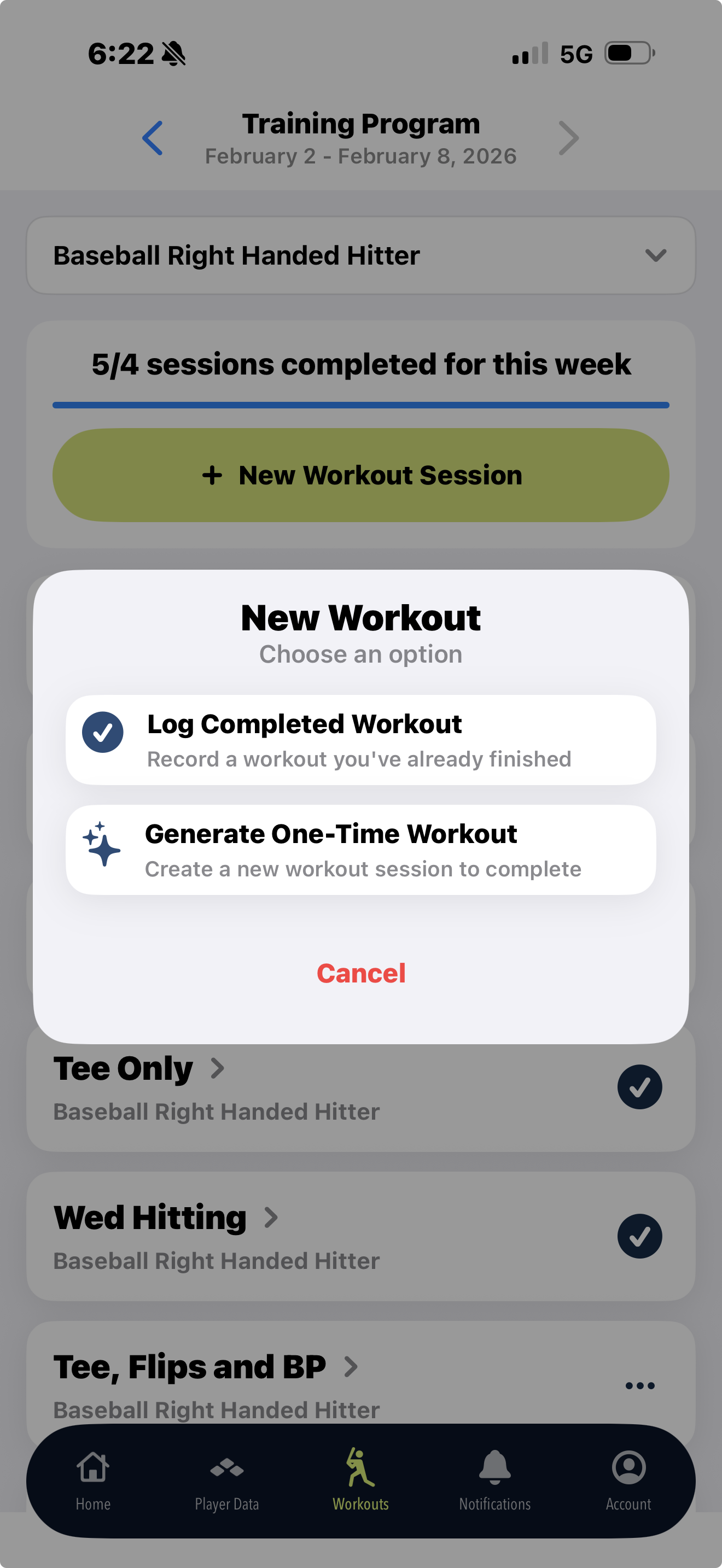
After choosing to build a 'New Workout Session' players will have the choice of 'Logging a Completed Workout' or 'Generating a One-Time Workout'
A player who wants to generate a new workout will have the option of:
- Tee
- Tee and Flips
- Tee, Flips and BP
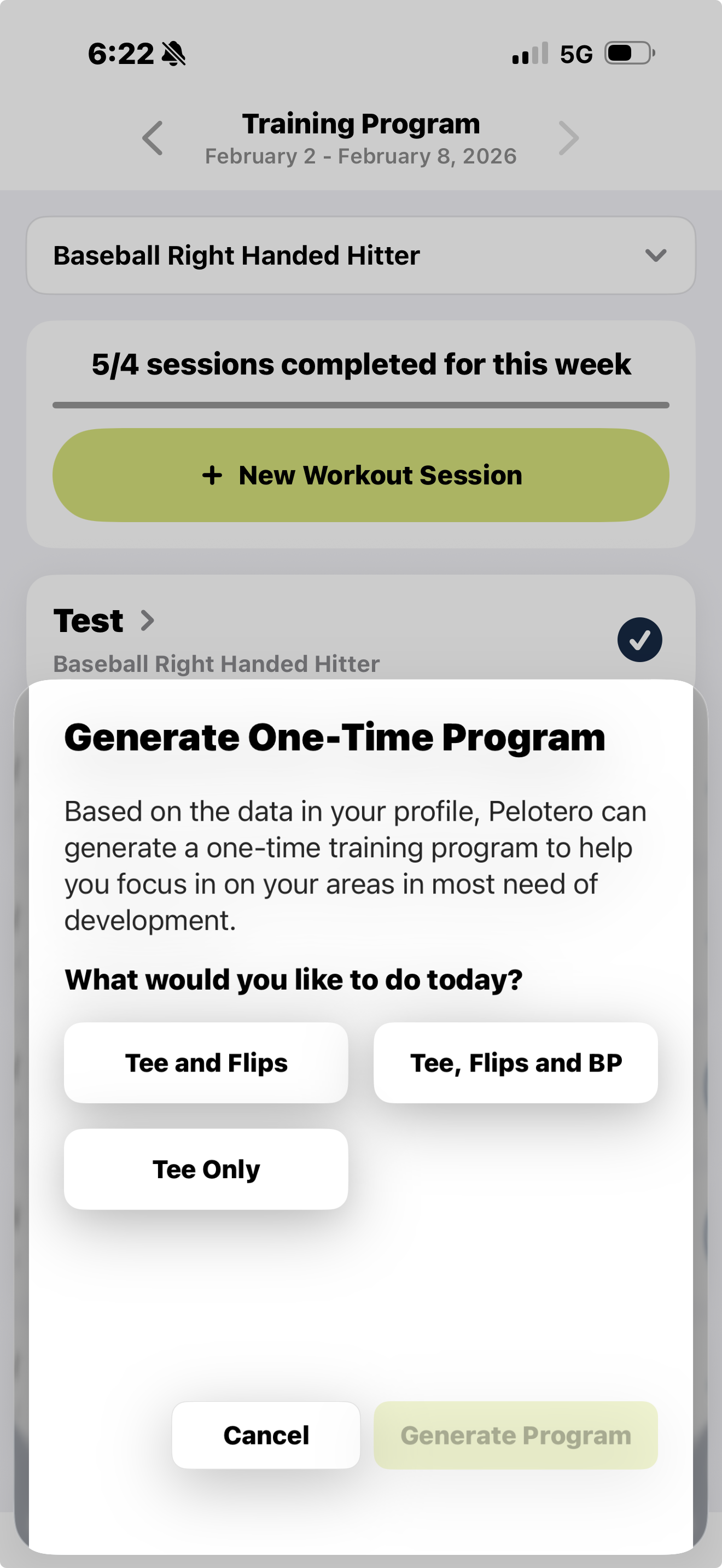
***Example: Imagine a player is at home and has finished their workouts for the week but wants to hit again. They can choose 'New Workout Session' > 'Generate One-Time Workout' > 'Tee Only' > 'Generate Program' and a fully customized plan will be built in seconds.
Accessing Full Profile
If you did want to see your full profile and scores, click the 'Accounts' menu item and click 'View Dashboard'
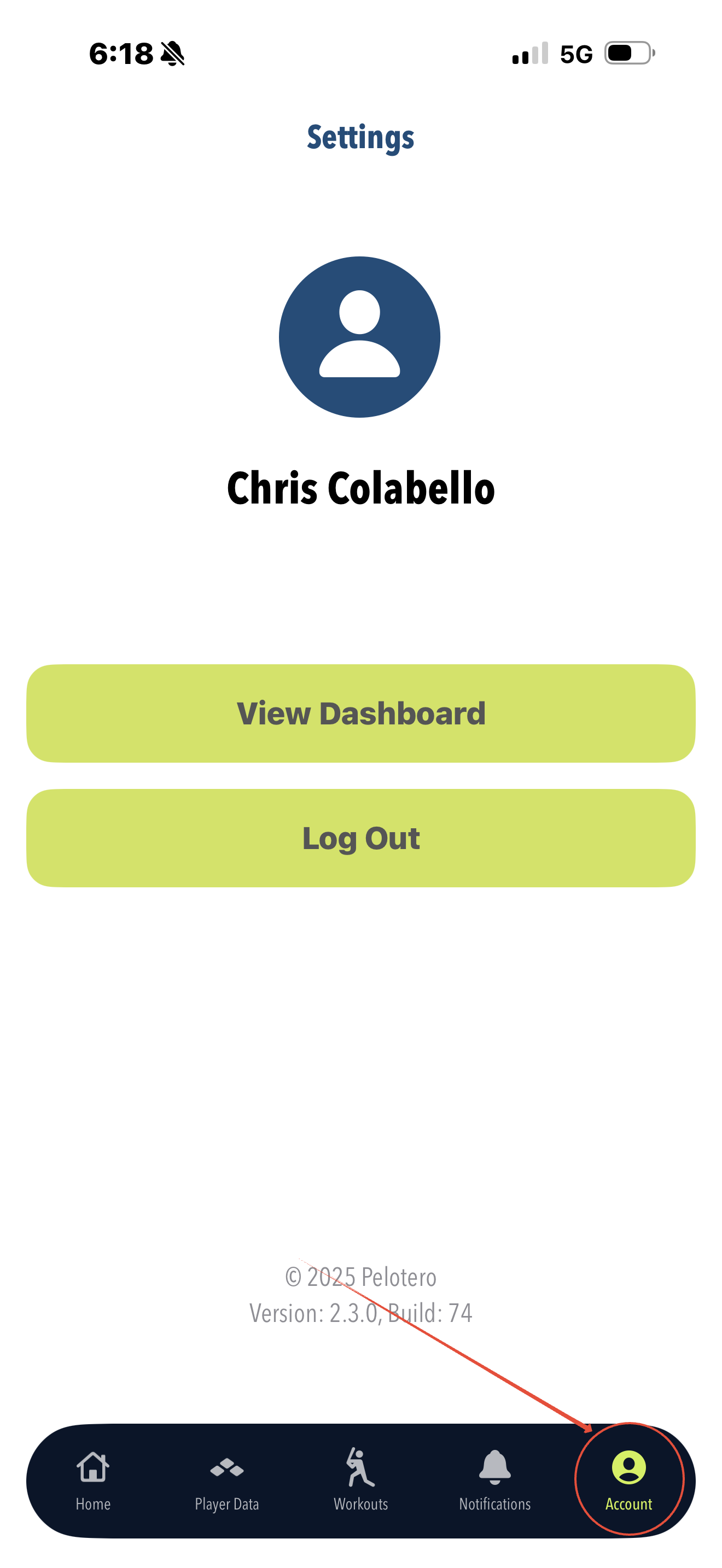
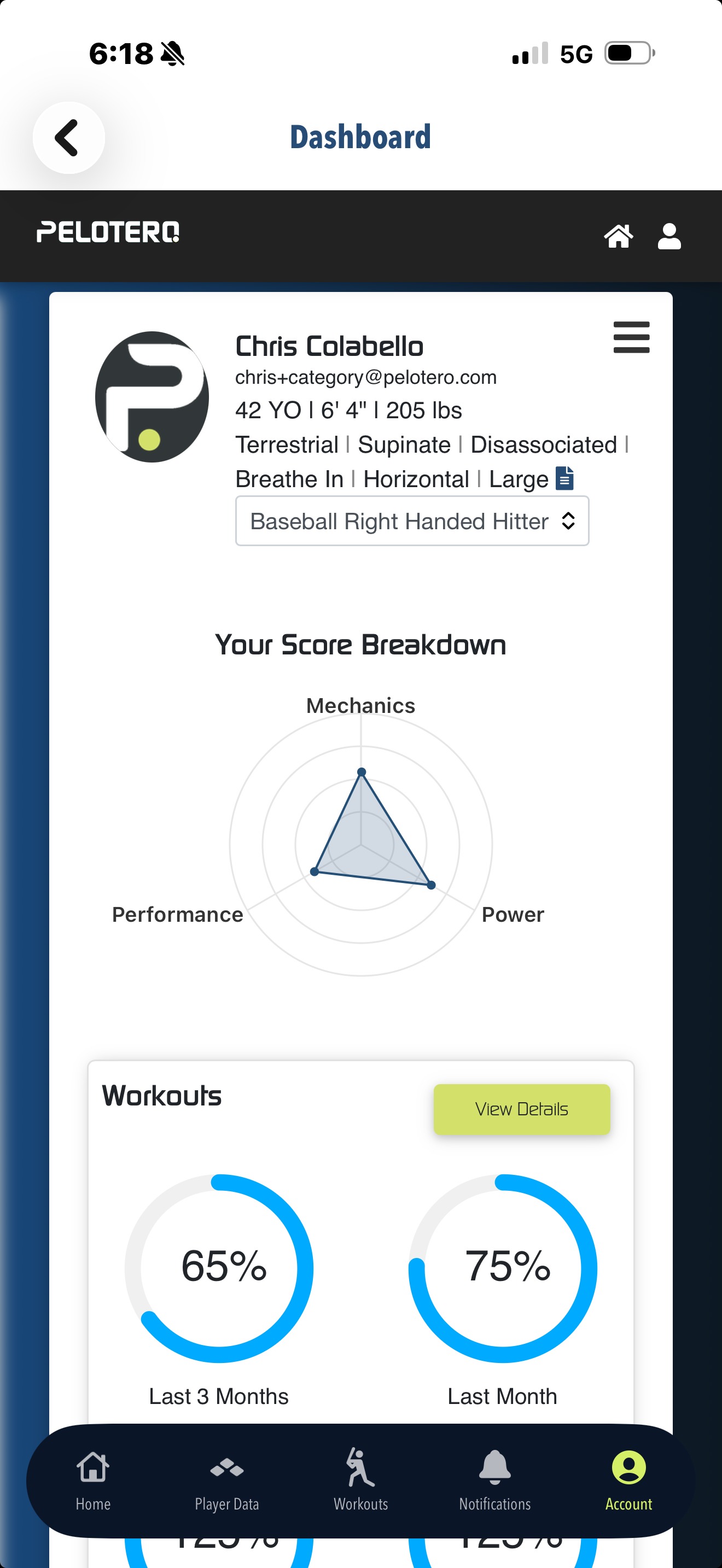
That will take you to the web experience. On this page, you can see your entire profile, including more comprehensive information and historical scores.
Was this article helpful?
That’s Great!
Thank you for your feedback
Sorry! We couldn't be helpful
Thank you for your feedback
Feedback sent
We appreciate your effort and will try to fix the article