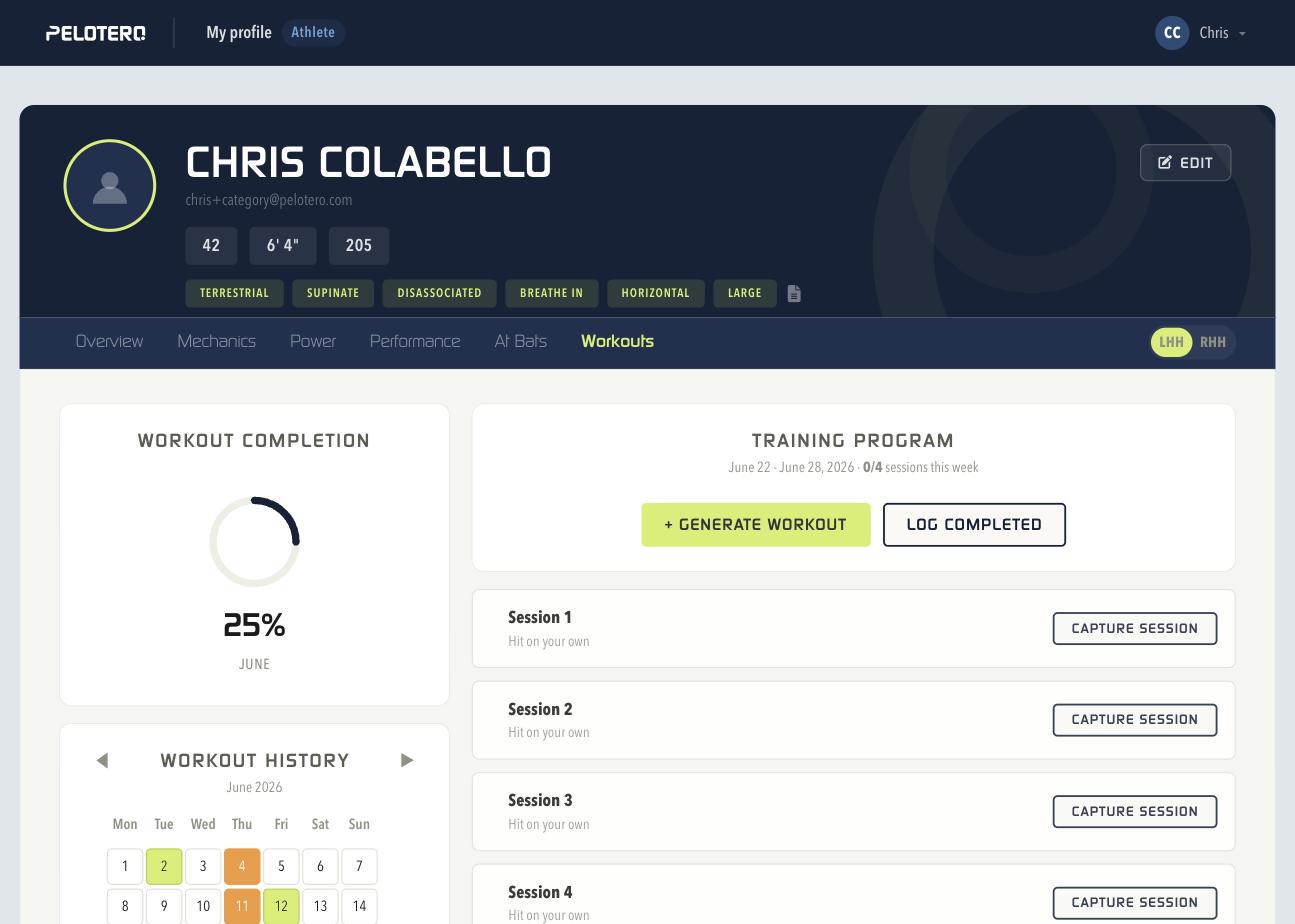
In order to build a single day hit plan for an individual athlete, coaches can access an athlete's page directly and choose to generate a workout on the athlete's Workouts tab (Hitting > Workouts). Once you've accessed the workout tab, you will notice that the athlete will have a number of workouts already listed on this page, as a recommendation from Pelotero, based on their score profile. Coaches and the players themselves can build a hit plan from here by clicking "+ Generate Workout" or "Log Completed" for a session that already happened.
Choosing "+ Generate Workout" opens the Generate One-Time Program modal, where you pick what the athlete will do that day — Tee Only, Tee and Flips, or Tee, Flips and BP — and Pelotero builds a fully custom hit plan based on the athlete's most recent data. Once a workout has been generated for the player, it counts toward their workout completion progress shown in the calendar and completion ring on the left of the tab.
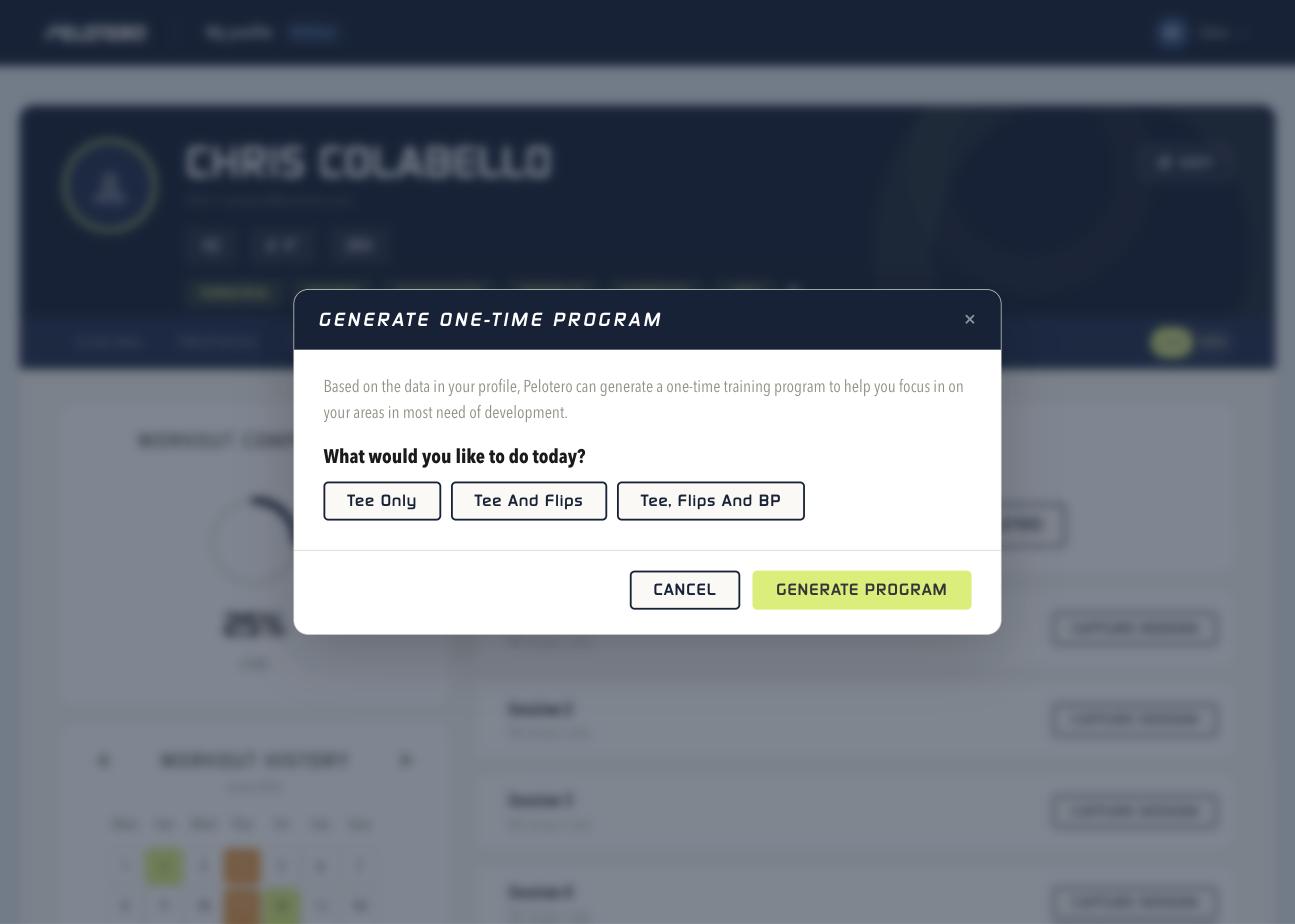 [[IMAGE: 08-generate-program.png — Generate One-Time Program modal]]
Was this article helpful?
That’s Great!
Thank you for your feedback
Sorry! We couldn't be helpful
Thank you for your feedback
Feedback sent
We appreciate your effort and will try to fix the article