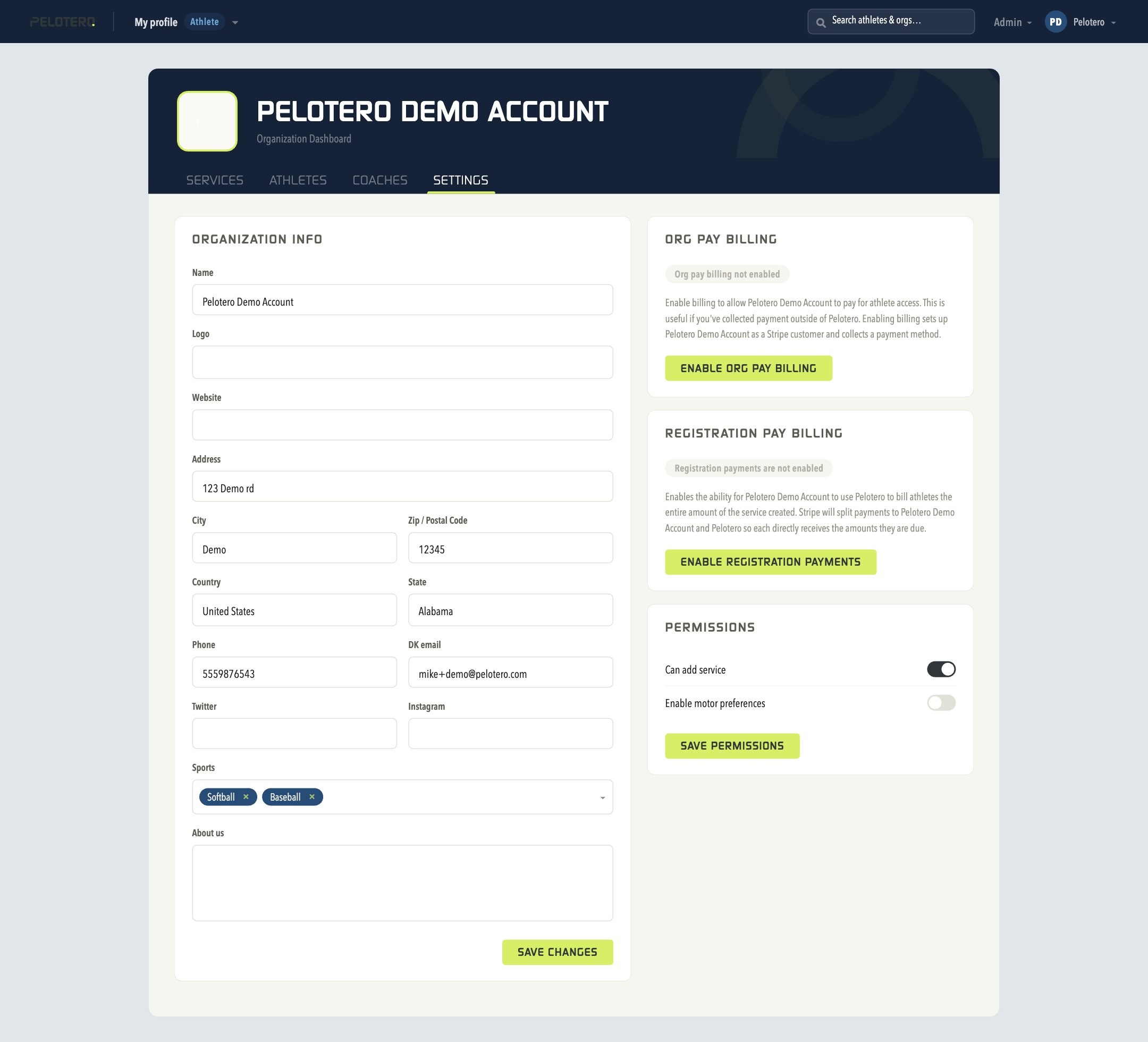
In order to edit your Organization Profile, click the org name dropdown in the top left of the screen and choose Settings. From this page you can manage your Organization Info (name, logo, website, address, phone), Org Pay Billing and Registration Pay Billing (enable Stripe-based billing), and Permissions defaults for new coaches. Your individual account menu, in the top right, lets you edit your own personal details and log out of the platform.
Edit Your Logo
Under Organization Info, click "Choose File" next to Logo to add or update the logo that will be shared with all your players as invitations are sent out.
 [[IMAGE: 05-org-settings.jpg — Organization Settings]]
Was this article helpful?
That’s Great!
Thank you for your feedback
Sorry! We couldn't be helpful
Thank you for your feedback
Feedback sent
We appreciate your effort and will try to fix the article