1. Organization Management
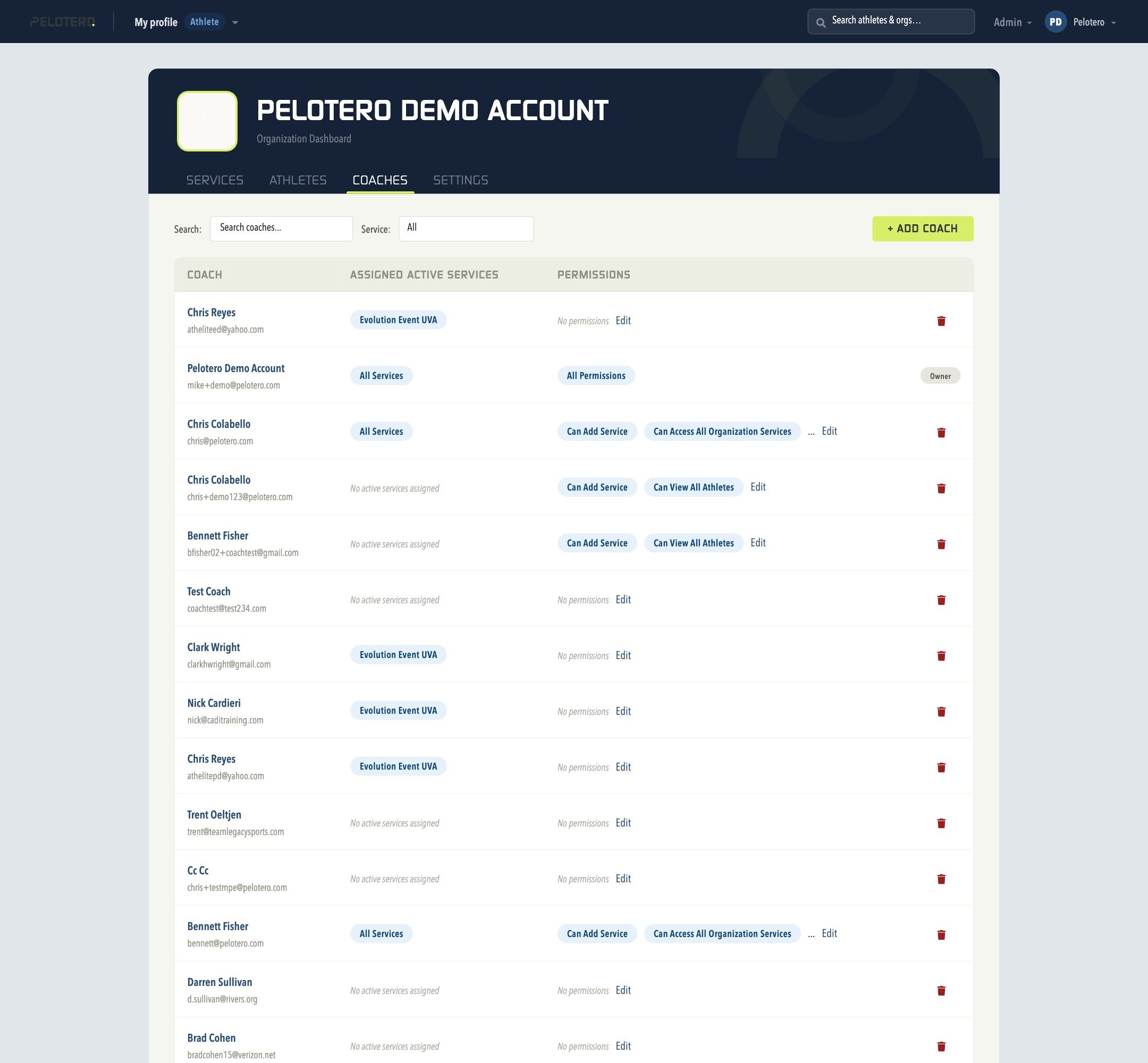
1.1 Organization Coaches
Access via: org name dropdown > Coaches. Lists every coach in your organization with their email, assigned active services, and a Permission "Edit" link to manage what each can see and do. The + Add Coach button starts a new invite.
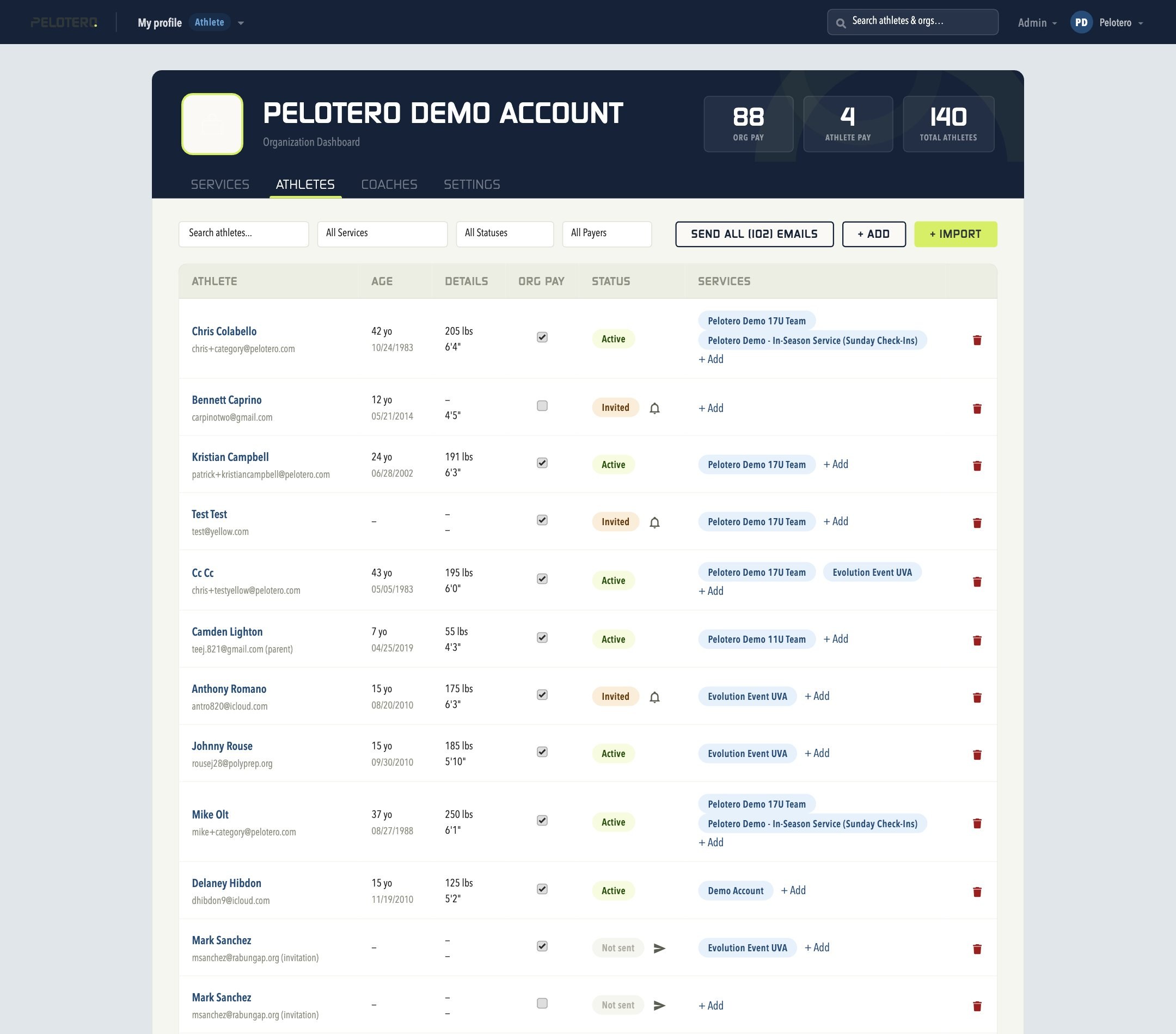
1.2 Organization Athletes
Access via: org name dropdown > Athletes. A master list of every athlete across every service in your organization, with Org Pay status, Status (Active/Invited), and the specific Services each belongs to. Useful for finding an athlete enrolled in multiple services, or adding an existing athlete to a new service without creating a duplicate profile. Includes Send All Emails, + Add, and + Import controls.
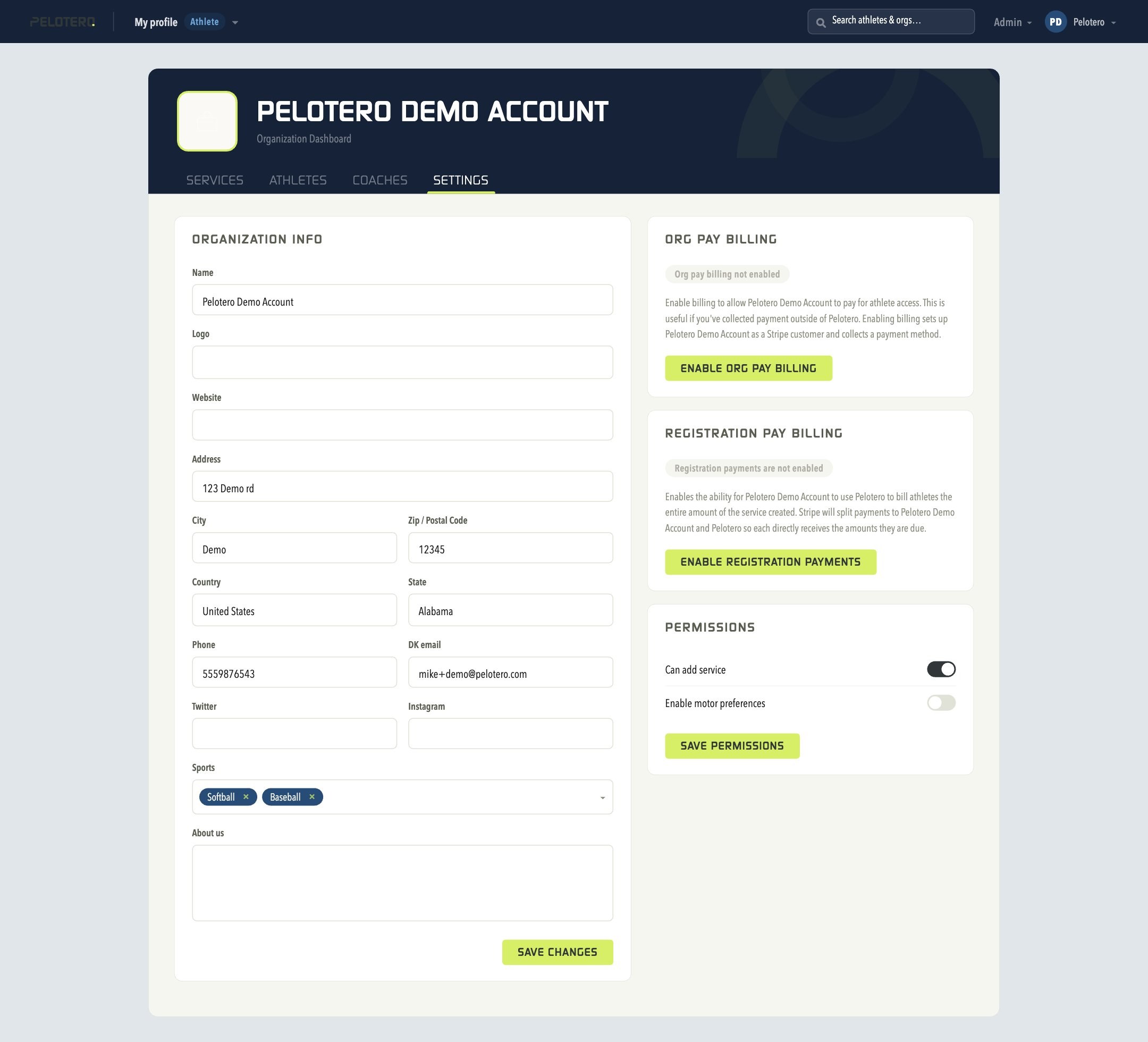
1.3 Settings
Access via: org name dropdown > Settings. Manage your organization's name, logo, website, address, and billing (Org Pay Billing and Registration Pay Billing), plus default permissions.
1.4 Change Organization
If your account has access to multiple organizations (e.g., a coach who works for multiple academies), the account menu lets you switch between them without logging out.
Was this article helpful?
That’s Great!
Thank you for your feedback
Sorry! We couldn't be helpful
Thank you for your feedback
Feedback sent
We appreciate your effort and will try to fix the article