Once a service has been created in your Pelotero portal, you will have the ability to add athletes to it. There are three ways players can be added: inviting a brand-new athlete to the organization, adding an existing org athlete to another service, and bulk import.
Adding a Brand-New Athlete
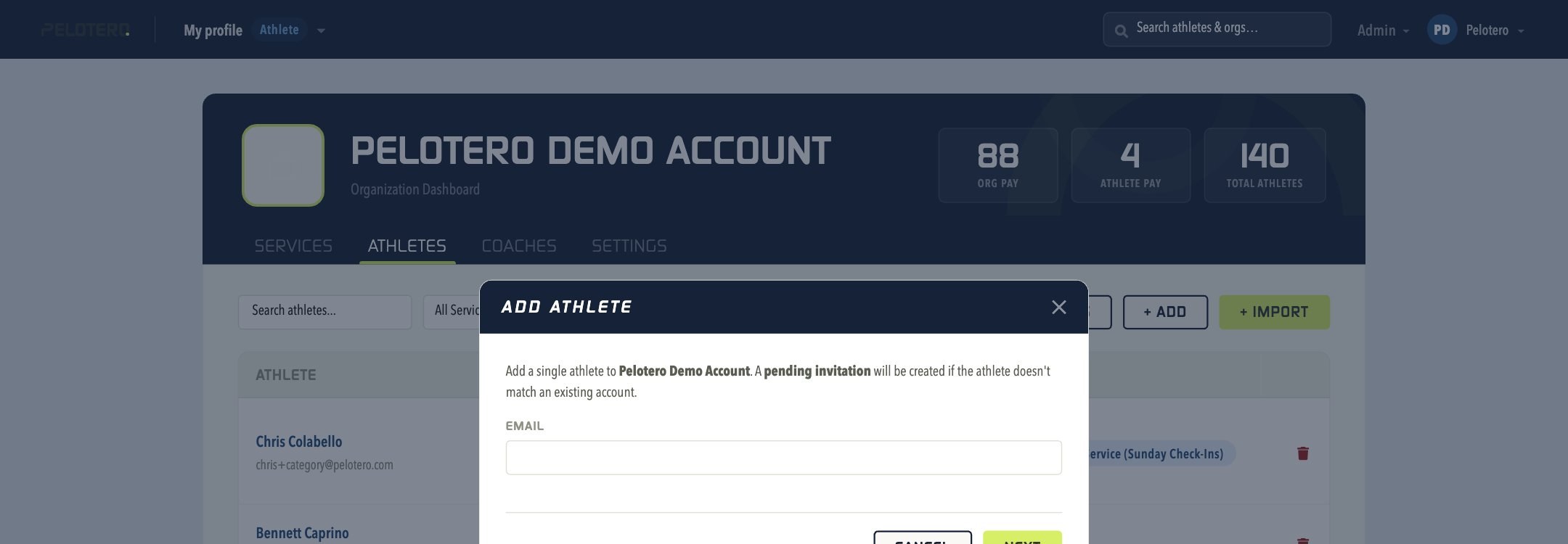
From the Organization Dashboard's Athletes tab, click + Add. The Add Athlete modal only requires an email address to start — Pelotero will match it to an existing account if one exists, or create a pending invitation if it doesn't. Name, sport, and other profile details are completed on the next step or by the athlete themselves once they accept.
Adding an Existing Athlete to a Service
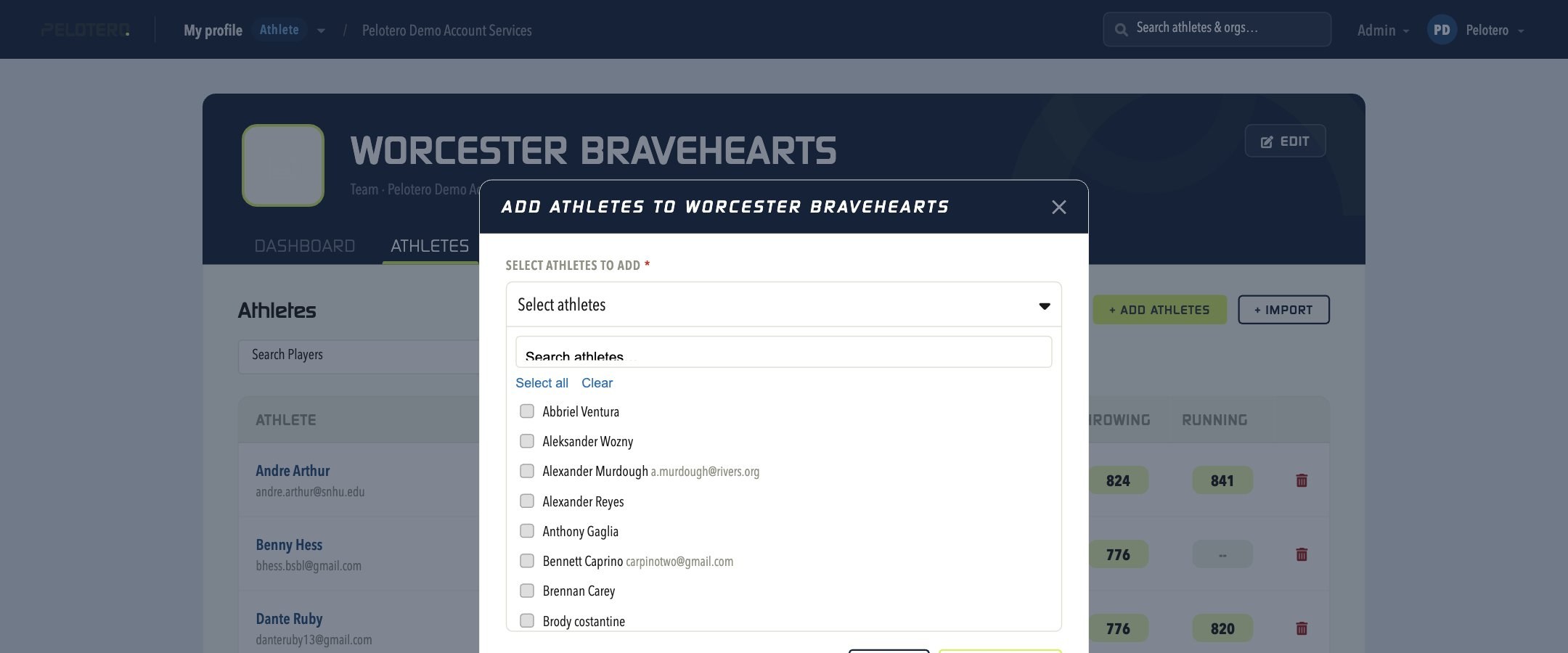
Inside a specific Service, open the Athletes tab and click + Add Athletes. This opens a picker of every athlete already in your organization — search or select from the list and click Add Athletes, with no need to re-enter their information.
Bulk Import
Organizations can always bulk import rosters through the + Import tool, found on both the Organization Athletes tab and each individual Service's Athletes tab. A .CSV file with the required column headers can be uploaded, and you'll be asked whether to send invitation emails as part of the import.
Was this article helpful?
That’s Great!
Thank you for your feedback
Sorry! We couldn't be helpful
Thank you for your feedback
Feedback sent
We appreciate your effort and will try to fix the article