Step 1: Select Your Service. Log in to your Pelotero dashboard to view your active services and select the specific team or camp you wish to manage.
Step 2: Access the Athlete List. Once inside the service dashboard, click the Athletes tab to bring up your roster, with names, ages, and data collection status for each player.
Step 3: Manually Enter Batted Ball Data. Locate the athlete you wish to update and open their data collection status to find the Batted Ball entry option. Fill in the required metrics — Average Exit Velocity, Peak Exit Velocity, and Max Distance — and submit to save the entry.
Step 4: Bulk Data Import. If you have a large amount of data to upload at once for your entire organization, contact the support team directly at support@pelotero.com to request a bulk import.
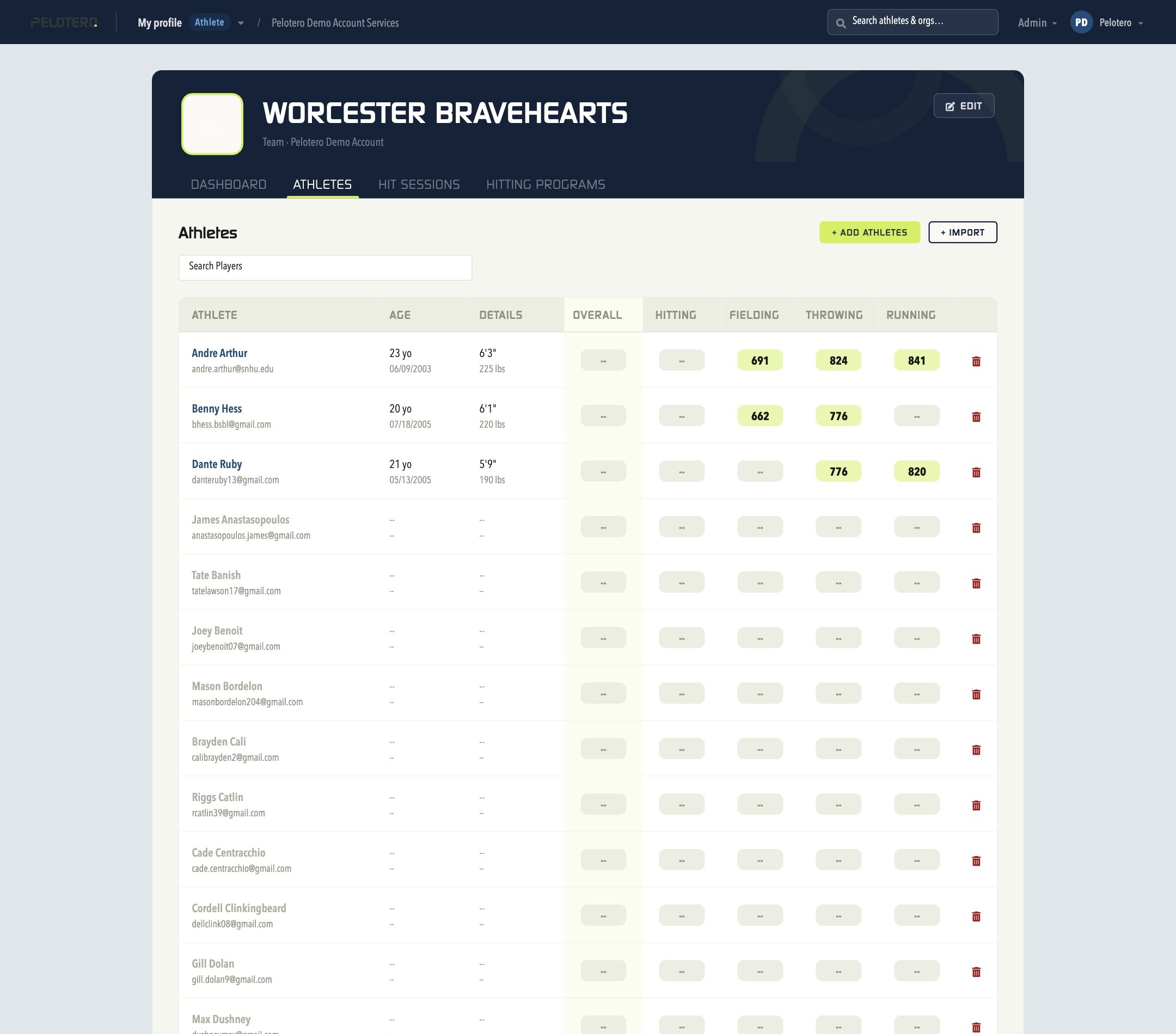 [[IMAGE: 09-service-athletes.jpg — Service Athletes tab]]
Was this article helpful?
That’s Great!
Thank you for your feedback
Sorry! We couldn't be helpful
Thank you for your feedback
Feedback sent
We appreciate your effort and will try to fix the article