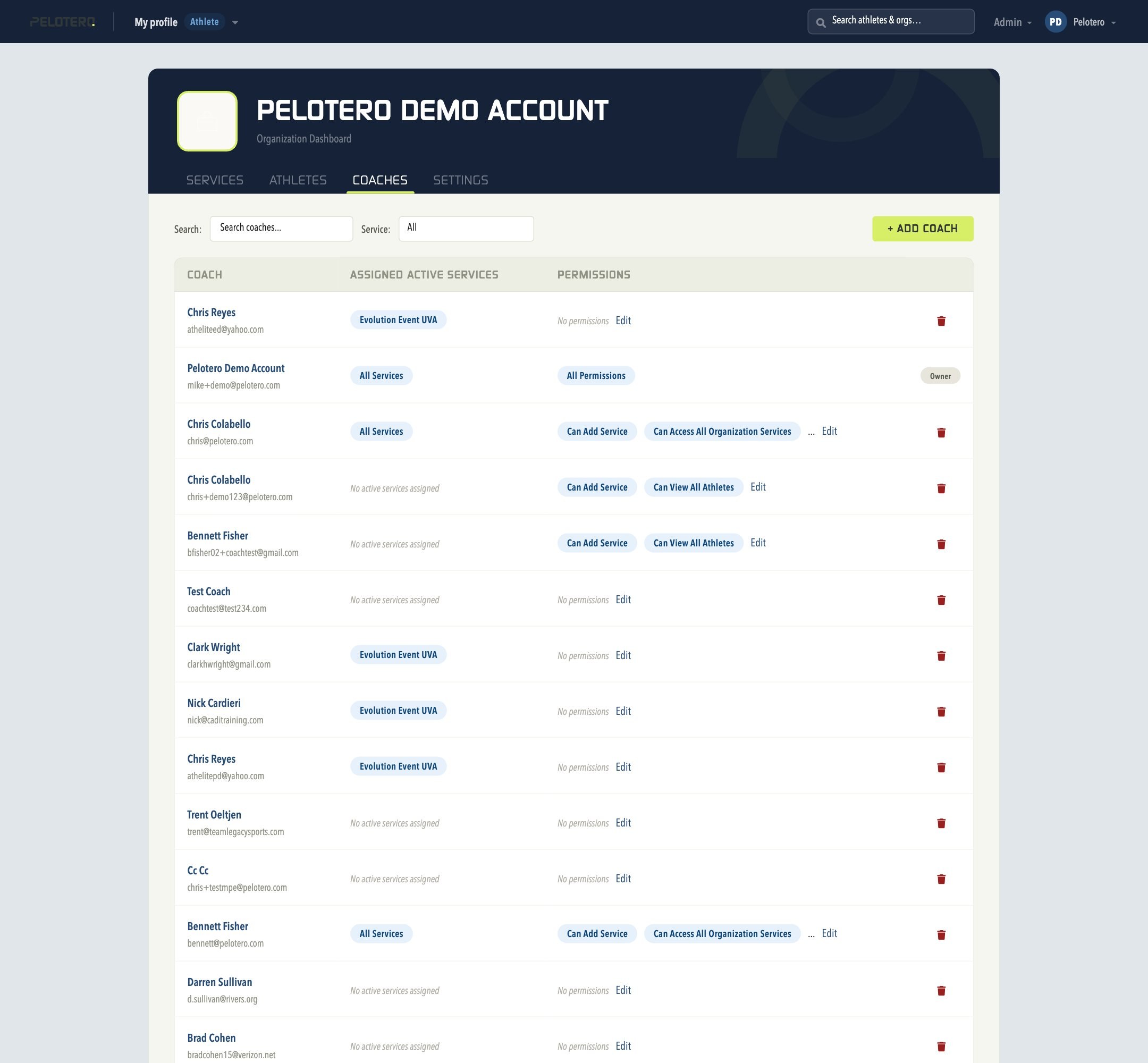
An organization can add limitless coaches to the Pelotero Platform. To add a coach, you only need their email address. From the Organization Dashboard, open the Coaches tab and click + Add Coach — enter their email and continue; Pelotero matches an existing account or invites them.
Coach Permissions
Once a coach has been added, use the Edit link next to their name to restrict or grant permissions, such as: Can Add Service, Can Access All Organization Services (limit which services a coach can see), Can Edit All Services, Can View All Athletes, and more. The organization's Owner always has All Services and All Permissions.
Adding Coaches to Specific Services
If you want to limit a coach to only certain services, remove their "Access All Services" permission, then assign them to specific services individually from within each Service's Edit screen.
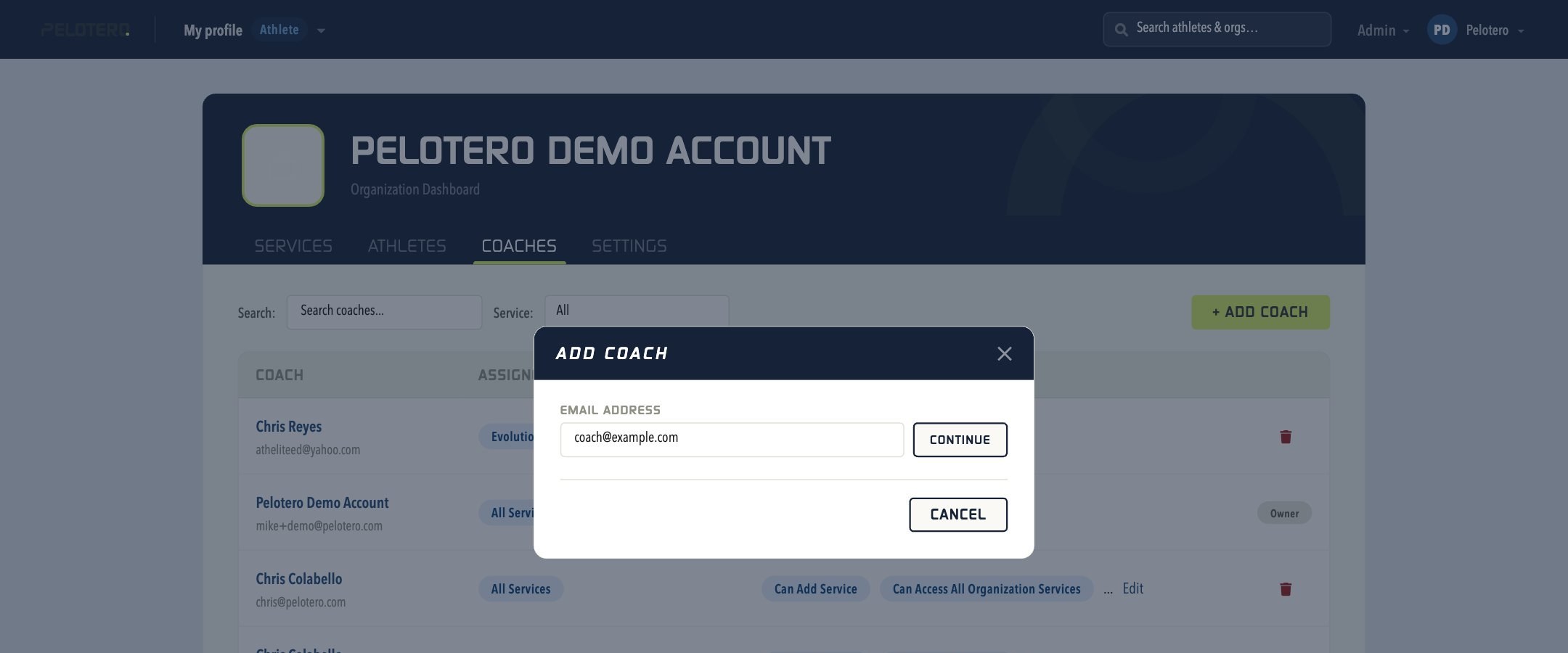 [[IMAGE: 04-add-coach-modal.jpg — Add Coach modal]]
Was this article helpful?
That’s Great!
Thank you for your feedback
Sorry! We couldn't be helpful
Thank you for your feedback
Feedback sent
We appreciate your effort and will try to fix the article