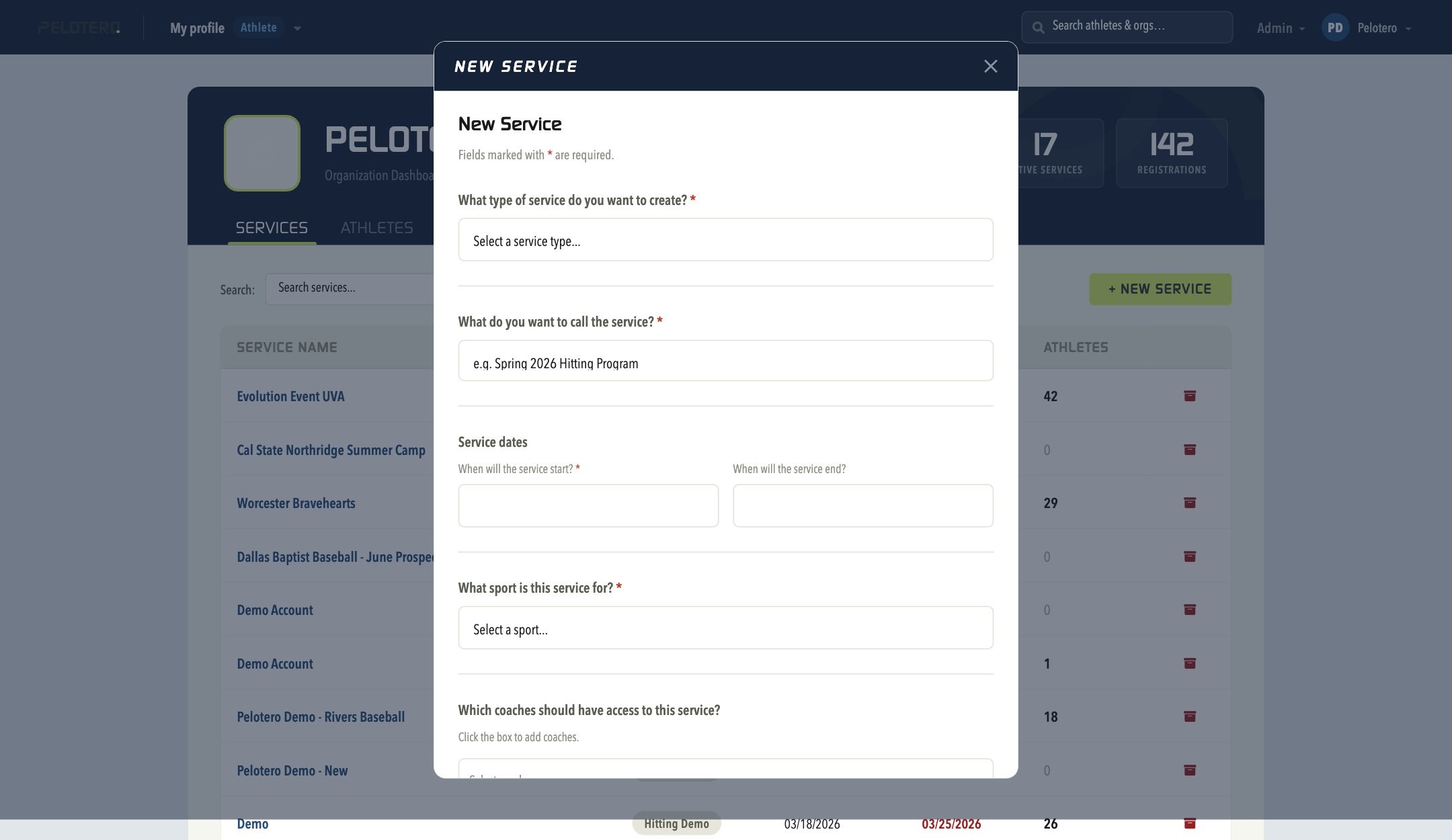
Creating a new service is now fully self-service — there's no need to email Pelotero. From the Services tab on your Organization Dashboard, click + New Service and fill out the guided form: service type, name, start/end dates, sport, and which coaches should have access. Click Create and the service is ready immediately, with its own Dashboard, Athletes, Hit Sessions, and Hitting Programs tabs.
Was this article helpful?
That’s Great!
Thank you for your feedback
Sorry! We couldn't be helpful
Thank you for your feedback
Feedback sent
We appreciate your effort and will try to fix the article